Make a Free Ebook

Blurb recently introduced the option to make your traditional book publishing projects and to entice people to try it they are offering the conversion for free for the next three days. Starting October 18, 2012 the charge will be USD $9.99 for each book. Go here to get more information.

I hope I can take a few minutes in the next three days and try this out. Have you used a service like Blurb to do an ebook. The closest I’ve come to doing an ebook is creating a pdf document. I know so little about this that I’m not sure the differences. Blurb’s ebooks are for the iPad.


Enhanced Ebooks

I love the idea of the ability to embed media like video in the context of a book. Ebooks have that potential. In the next few years I believe that we will see the power of ebooks come into their own. I can’t wait to explore to learn the skill and explore the possibilities of this medium.

image from Robert Leslie’s book Stormbelt

I found an interview with Robert Leslie, a photographer know for his photographic journeys, about a resent project he calls Stormbelt. You can find the interview here on Blurberati Blog. I’m intrigued with the idea of having both a print and digital version of a book. It is an interesting project that I think you will enjoy.

Stormbelt Book Preview

Stormbelt Ebook Preview

Lady Liberty


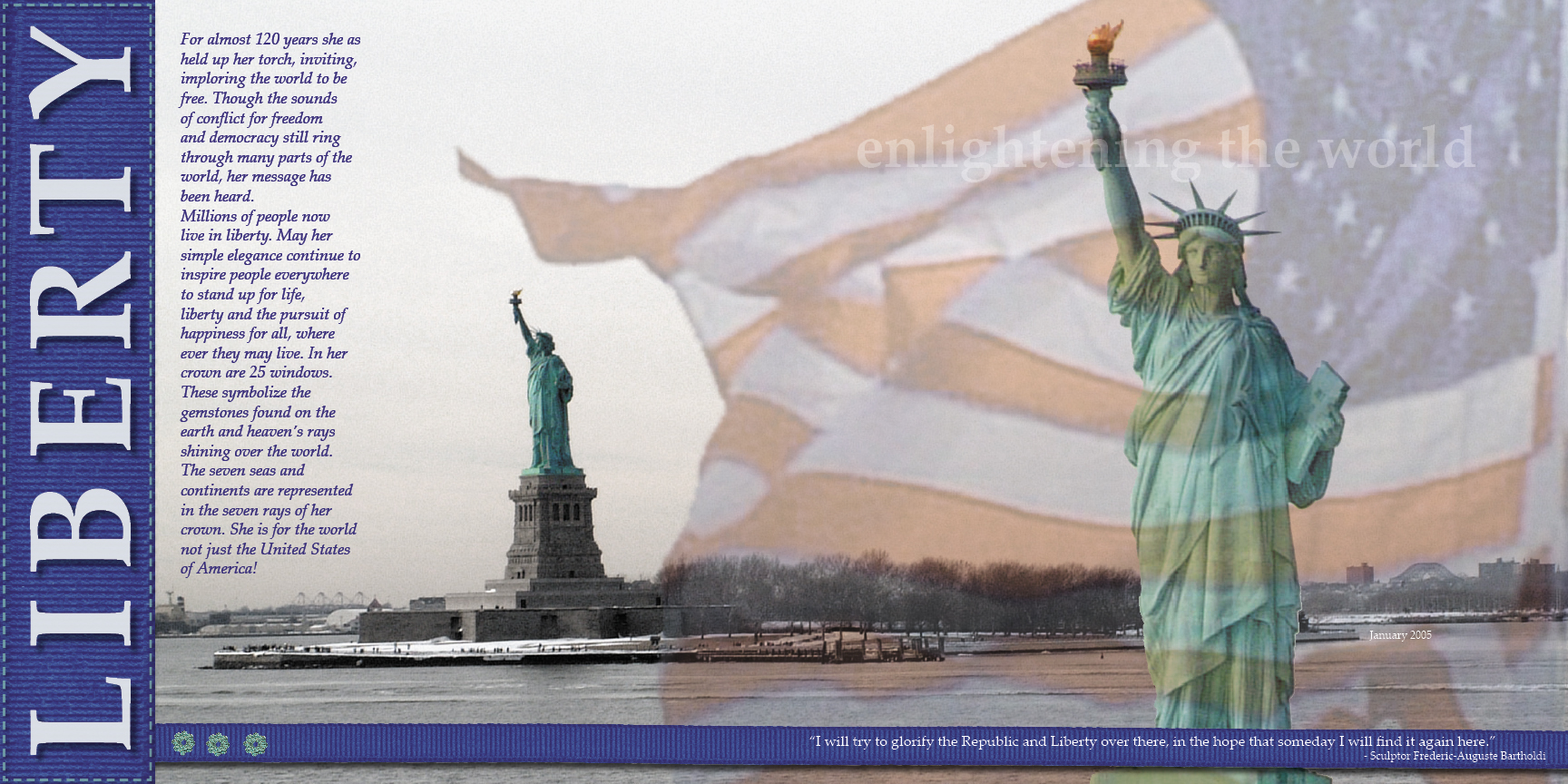
As I thought about what I wanted to write about today, my thoughts turned to a layout I did back in 2005. We had lived in Brooklyn, New York for a few months and took the opportunity to go by the Statue of Liberty via the ferry to Staten Island. Some of the photos I took on that trip inspired me and this is the result. It seems proper today being Patriot Day and the 11 anniversary of 9/11.

For almost 120 years she as held up her torch, inviting, imploring the world to be free. Though the sounds of conflict for freedom and democracy still ring through many parts of the world, her message has been heard. Millions of people now live in liberty. May her simple elegance continue to inspire people everywhere to stand up for life, liberty and the pursuit of happiness for all, where ever they may live. In her crown are 25 windows. These symbolize the gemstones found on the earth and heaven’s rays shining over the world. The seven seas and continents are represented in the seven rays of her crown. She is for the world not just the United States of America!

“I will try to glorify the Republic and Liberty over there, in the hope that someday I will find it again here.”                                                                      – Sculptor Frederic-Auguste Bartholdi


Publishing Your Story – Traditional vs. eBook

I came across and interesting post a few weeks ago on the FamilySearch Blog about traditional publishing vs. eBook publishing and was very interested in James Tanner’s view on this subject with the continued improvements and use of eBooks. You can read the post here.

Publishing Your Genealogy – Traditional vs. eBook

He shared an outline of how books were published in the past that was interesting.

  • Writing
  • Editing
  • Table of Contents and Indexing
  • Inserting Illustrations
  • Formatting for Printing (book layout, fonts)
  • Proof Reading
  • Typesetting
  • Application for ISBN/Copyright
  • Proof Print
  • Printing Pages
  • Binding
  • Distribution and/or Sales

Having only done self-publishing through print on demand I hadn’t ever thought of all these steps in publishing a book. It is wonderful that through modern technology we have other options to print just a few copies of a book or even just one at a very reasonable price. Traditional printing methods were not cost-effective unless you printed a large number of books. And face it, most of the stories we want to share just don’t have that wide of an appeal but that doesn’t make them any less important to us or our family and friends.

James Tanner points out that today all the above steps can now be done by the writer but we can still contract out any of these steps to someone else, including writing the book. I have one issue with his information about print on demand. He wrote:

Today, there are book publishing machines that will publish one book or a hundred. The cost of the first book is very reasonable. The major drawback for those wanting legacy materials is that the binding is limited to softcover perfect (glued) binding.

It might be true that some on-line printers only offer softcover perfect bound books, but I know that Blurb’s softcover books are perfect bound or glued. They also have hardcover books and their website says “our Hardcover books feature library binding.” This got me curious so I dug deeper and found some information to suggest that blurb hardcover books less than 120 pages our stitched from the side but their large hardcover books are glued or perfect bound. This seems to be mostly true. I checked the blurb books that I have here. The 440 page Europe! is not stitched it is glued. While the 9 7×7 books between 40 and 80 pages are all stitched except 1. So that was some interesting research. I’ll have to see if I can find out more.

Here is what James Tanner had to say about eBooks:

With the popularity of eBook readers such as the Kindle and the Apple iPad, publishing a book electronically is more than a fad. If you look at the New York Times Best Sellers List, you may be surprised to find that many of the best selling books are now available only in eBook format. One advantage of publishing a book in eBook format is that it can be updated at any time and distributed in a variety of formats. EBook publishing is exactly like traditional publishing except for the final printing and binding. There is still a need for good writing skills and the book files have to be adapted for a variety of electronic book readers.

Just as with more traditional publishing you can do these steps yourself even to the “printing” on your own computer. One simple option is to publish in a PDF format and distribute that to family and friends. May eReaders can read PDF documents but in my experience their are challenges with the small size of the screen and PDF documents that letter size. The text can be difficult or impossible to read with the entire page on the screen or you have to do lots of scrolling around to read the text.

If the book is just text there are simple enough ways to export it for eBooks using a word processor. But for me the images are at least as important as the words. And I’m not sure how you design for the fluidity of an eReader with images. There is new software that helps with formatting for eBooks so maybe it isn’t as hard as it seems to me. I love the idea of eBooks with embedded media but have yet to see how it works for projects like sharing family stories.

I agree with James Tanners basic assessment:

Whether you publish your book on paper or electronically, you will find that it takes considerable time and effort. Electronic publishing may cut out some of the steps necessary for a paper publication, but the quality and readability of the book has to be adapted for online or eBook reading.

It will be interesting to see how eBooks effect self publishing in the future. I believe that the best way may be to use both mediums so that we reach a broader audience and greater likelihood that our stories will be safe for the future to enjoy. Hopefully there are ways to make this as painless as possible.

Food and Stories

I was watching the Food Nanny on BYUtv recently and something she said sparked a thought. One of her philosophies is to have theme nights when planning what to eat for dinner. A favorite theme of the Food Nanny’s is Tradition Day. On Tradition Day you eat recipes that are family favorites. What a perfect thing to do, cook a favorite recipe and then share the story behind the dish or the person who introduced that dish to the family. Over time you could compile those recipes and stores into a wonderful family cookbook and family history book.

Heritage Recipe Book

I found this beautiful example of a family cookbook on Blurb, with some of the stories and history behind the recipes. My mom isn’t famous for her good cooking but I think that my extended family might be a good source for project like this. When I think of my grandma’s cooking, I think of fruitcake and banana nut bread. I wonder what recipes my cousins have that trace back to my grandma. Since I’m working on a Generations Project with my great-great-grandmother Mary Taylor it would be interesting to know what kind of recipes exist from her day. I don’t know of any recipes handed down from Mary but maybe some out there. But even knowing what kinds of foods she ate during her childhood in England and then in her later life here in the west would be very interesting.

I’ll have to think about this idea and see what percolates out. Do you have a family recipe collection? Are there fun or interesting stories to go with those recipes?

A Suitcase Full of Letters

Nancy’s suitcase full of letters

Have you ever discovered a treasure trove of family documents or photos. NotSoFancyNancy found a suitcase full of letters from her dad to her mother. Here is what Nancy had to say about the find.

When my daughter Tania first told me about the letters I knew that something had to be done with them, after all they ARE our history. I took them home and put them all in chronological order. I scanned that first letter and looked at how many were left and I became overwhelmed. There are SO many of them, did I mention it is a suitcase full? There may be thousands, but I guess we will find out together if you want to join me for this adventure.

Nancy is sharing each letter on her blog. Many of them chronicle her dads experiences in World War II. I think that Nancy has come up with a great way to deal with the overwhelming task of saving and sharing these letters. She is taking them just a little at a time. She scans them and transcribes the text, preserving the letters. Nancy does some research about the information in each letter and posts it on her blog.

Down the road she can decide if she wants to put what she has gathered into a book or share it in some other ways, but for now she is taking a huge project and moving forward in a doable and sustainable way. Great job Nancy! I look forward to seeing how your project progresses. Thanks for setting a good example.

Do you have a huge family history project like this? Have you found a way to move forward with it? What is holding you back?

Olive Us

A new web TV series started this week that I want to share with you. I think it is a great example of another way to look at telling family tales. I really like the concept behind Olive Us and it got me thinking about new ways to look at sharing what matters to us. Stories aren’t just about events they are also about the values we live by. First watch Ben’s explanation of the concept behind the series and then watch the first episode.


Aren’t the Blair children amazing. Ben and Gabby live next door to us in Provo about 15 years ago when they were just starting their family. My, how grown-up they are now. Such a fun family. I’m looking forward to upcoming episodes of Olive Us.

What family values do you want to capture? Do you have any ideas on how you want to share them?


Tribute to Shadow

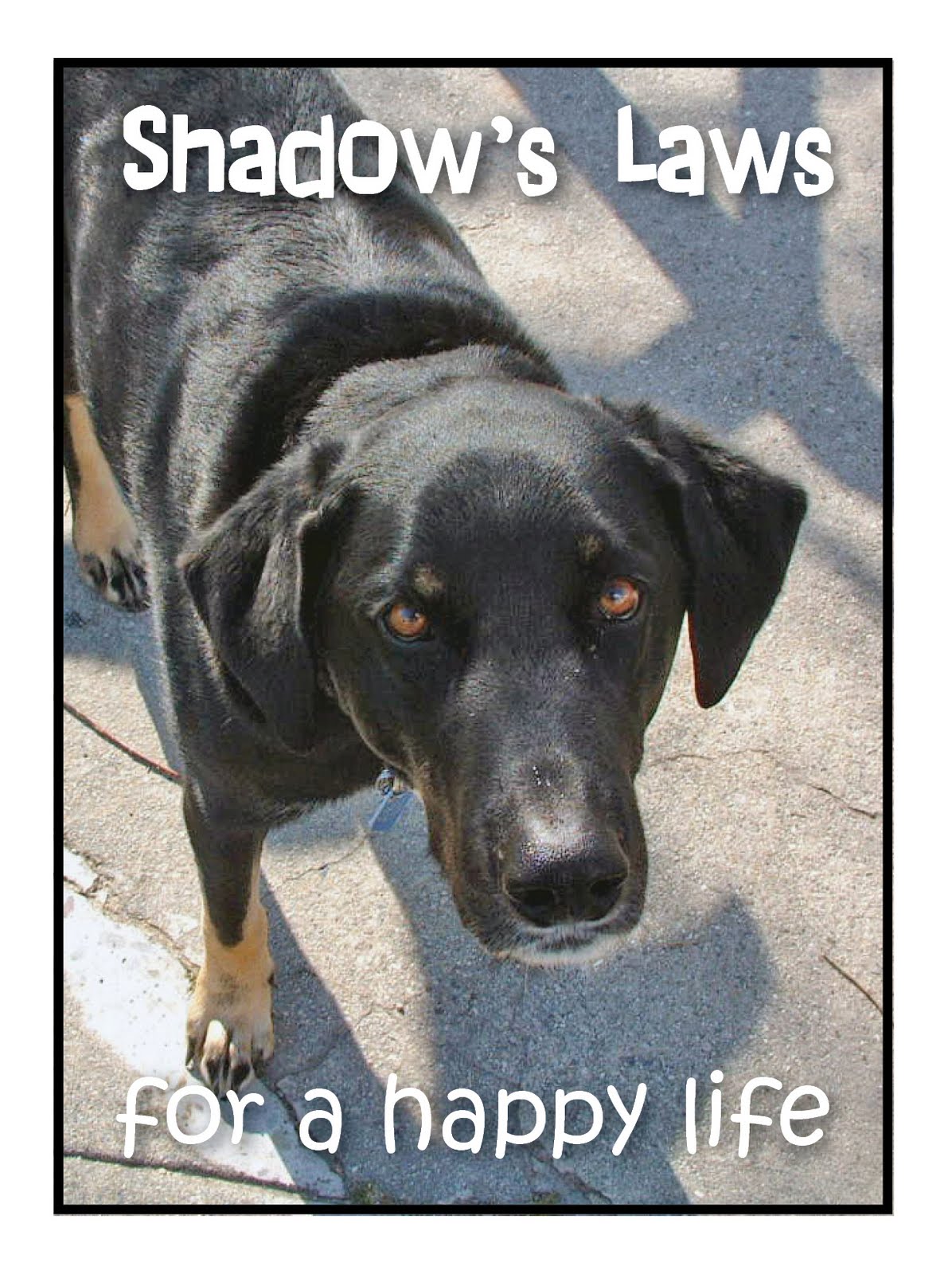
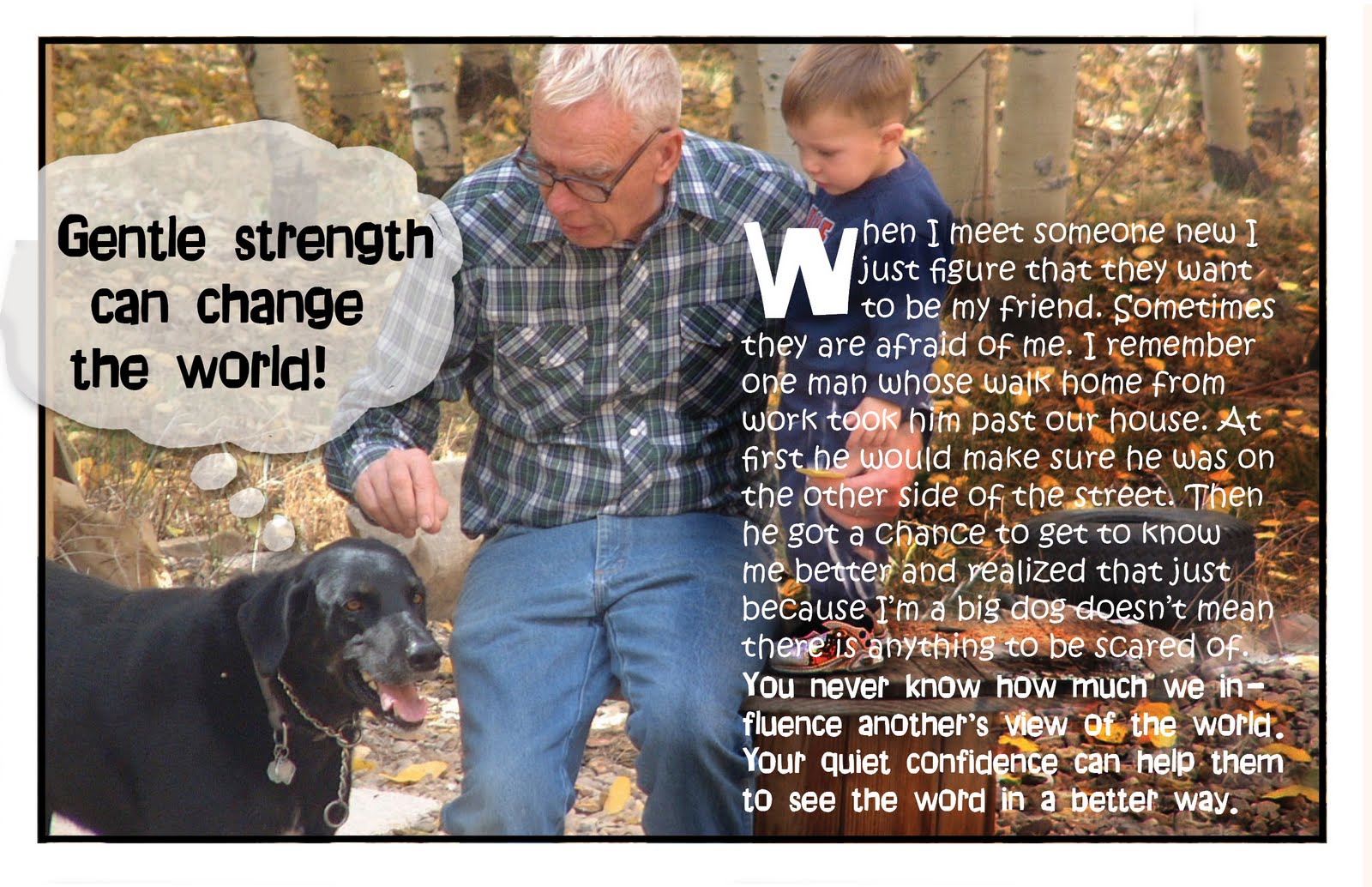
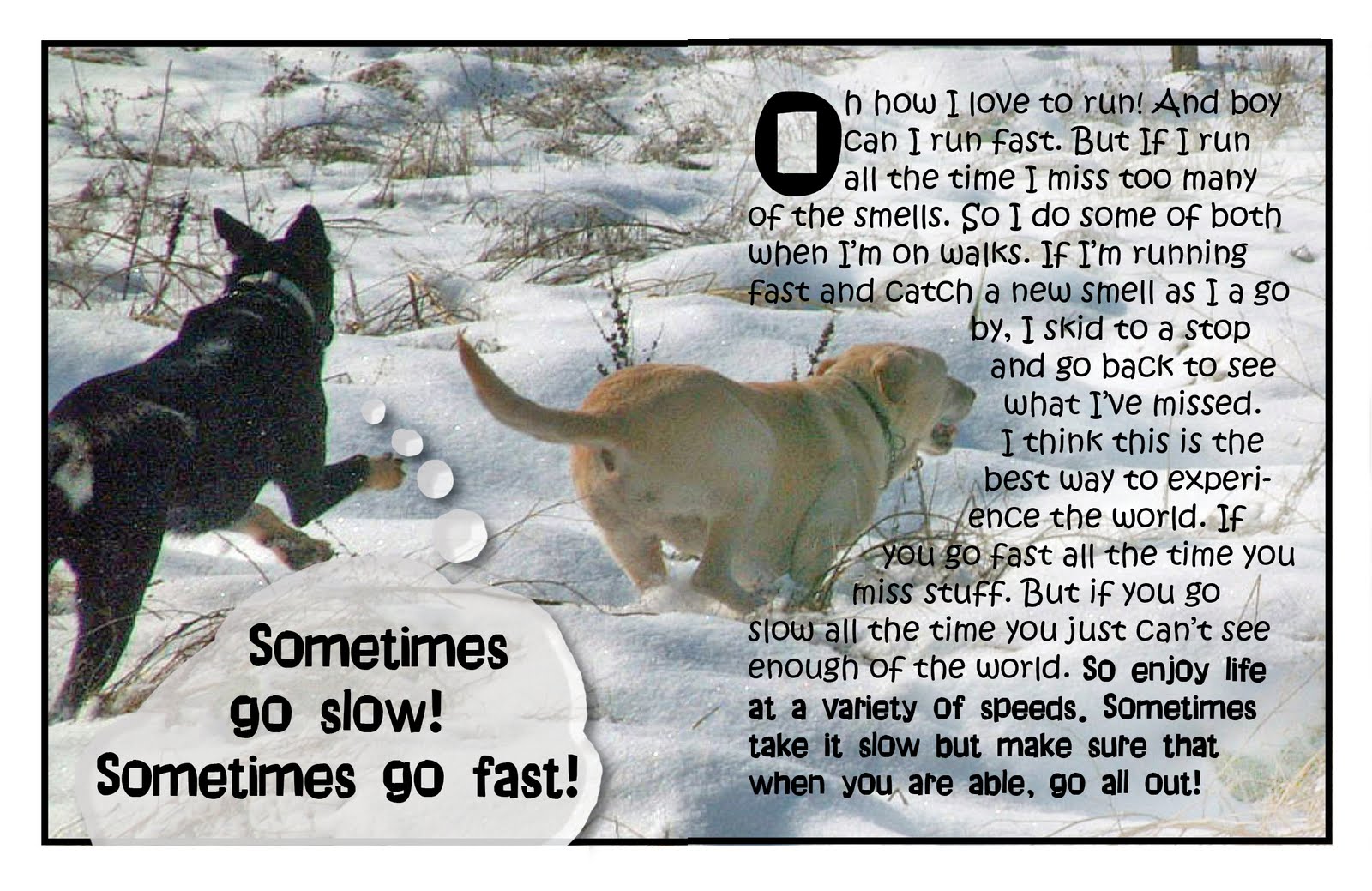
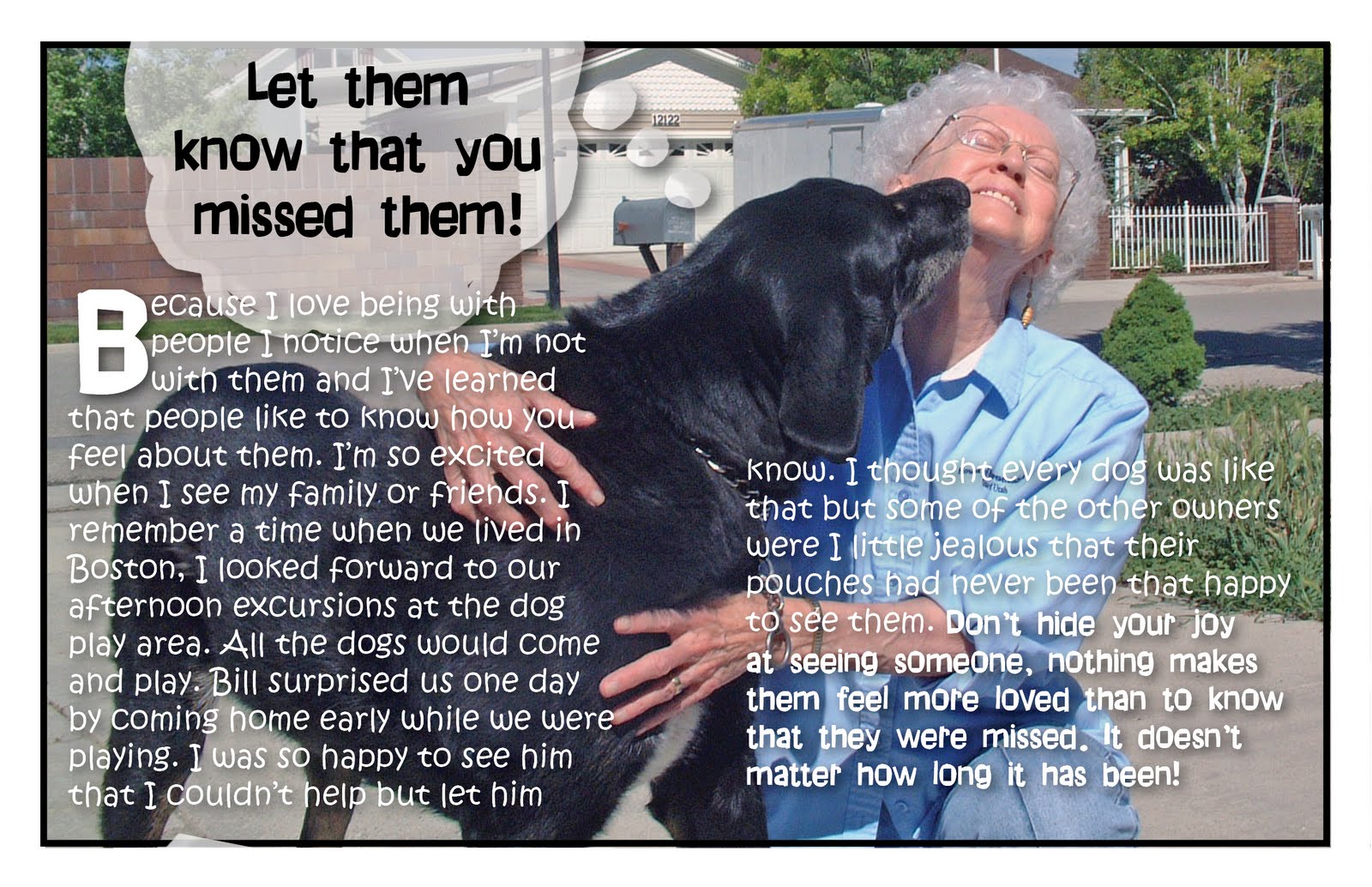
This week marks five years since the passing of our pet dog Shadow. He was an important part of our family and it was so hard when we learned he had cancer. It was fast growing and the day we sent him over the Rainbow Bridge was probably the hardest thing I’ve ever done. As part of my grieving process I put together a little book. I want to honor his memory this week. Shadow was our first dog. One of the reasons I looked into puppy raising after he died was because I wanted to have a dog but wasn’t ready to face the end of life process again. So in some ways it is Shadow’s fault that we are puppy raisers. I wear a silver bracelet everyday in memory of this wonderful dog. Thanks Shadow for all you taught us and all the memories!

For more information on this little book, “Shadow’s Laws” I have several posts on how I put it together here. What have you done to help you move through the grieving process? With Memorial Day coming up in a few weeks is there someone who you want to pay tribute to?

Raising Skyler Video

I love the power that images and music have together. One of the things I want to learn how to do is videos. The closest thing I’ve done was in college. I took a class on what was then called multimedia. We put together slides with music using multiple slide projectors and special equipment that kept the slides and music synchronized. It was awesome. Today we use computers and software to do a similar thing. So when I saw this effective video a few days ago I knew I wanted to feature it here on my blog.

This video brings tears to my eyes every time I watch it. I’m sure that part of the impact on me is because I relate to it as a puppy raiser. When it comes to sharing stories emotion is a big part of the impact. Stephanie did a great job combining the photos and the music to tell Skyler’s story. Here is Stephanie’s advice on how she put together this video;

I used Photostory to create this.  You import the photos into Photostory and then customize motion, choose the slide speed, add music and you are done.  I think the key to something like this is the music and the speed in which the slides switch making sure it fits with the music. And of course, good pictures 🙂

Stephanie makes this sound so doable. Now I’ve got to download Photostory and learn how to use this software. I can’t wait. Have you every done a video? What software do you do and what advice do you have for a beginner?

Mother’s Day Project

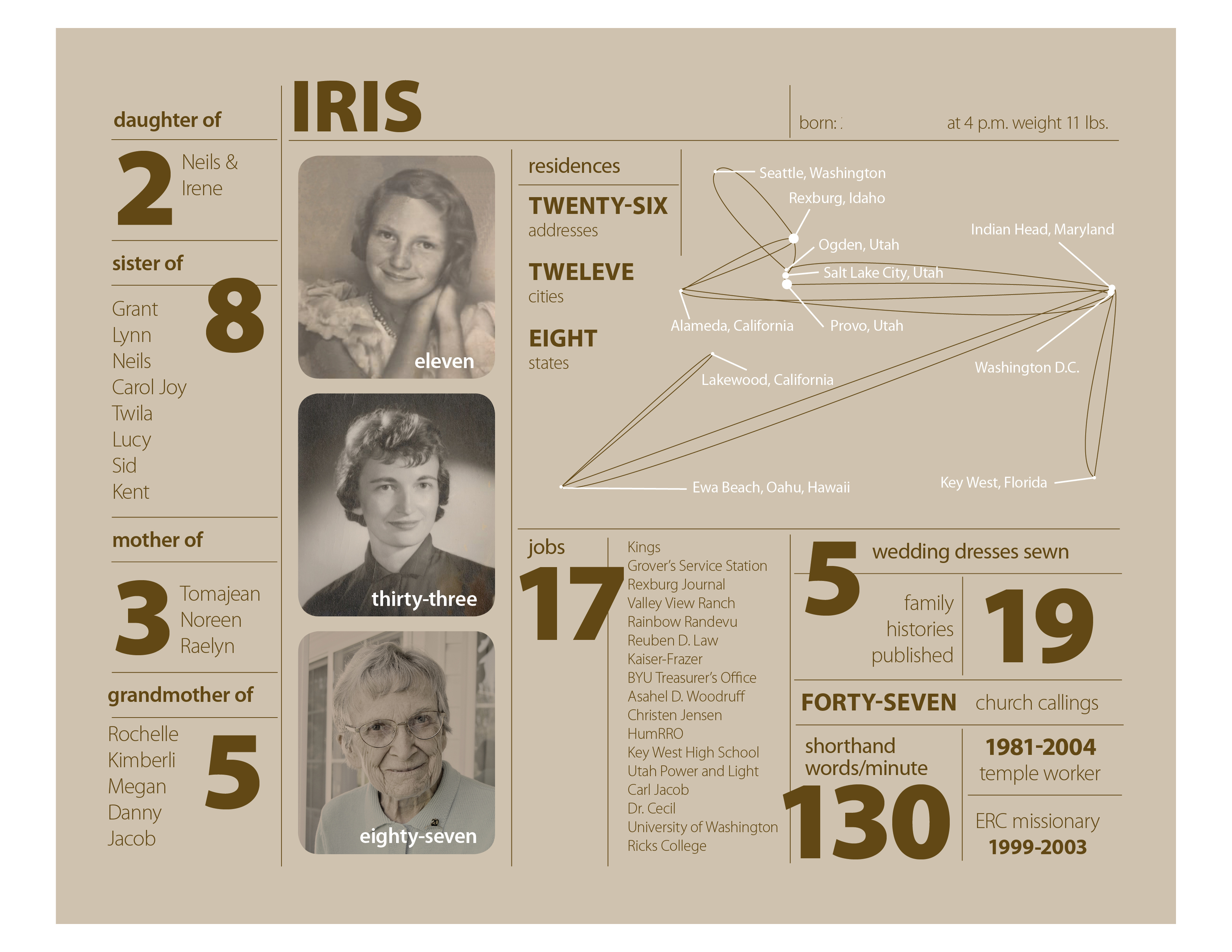
Mother’s Day Project for Iris

This is my version of an infographics inspire by Nicholas Felton‘s 2010 Annual Report. I’ve never done anything like this, so it was a learning experience and I enjoyed it. There are so many facts about a person’s life and this is a fairly simple one page project. I will print it out 8″ x 10″ and put it in a simple frame.

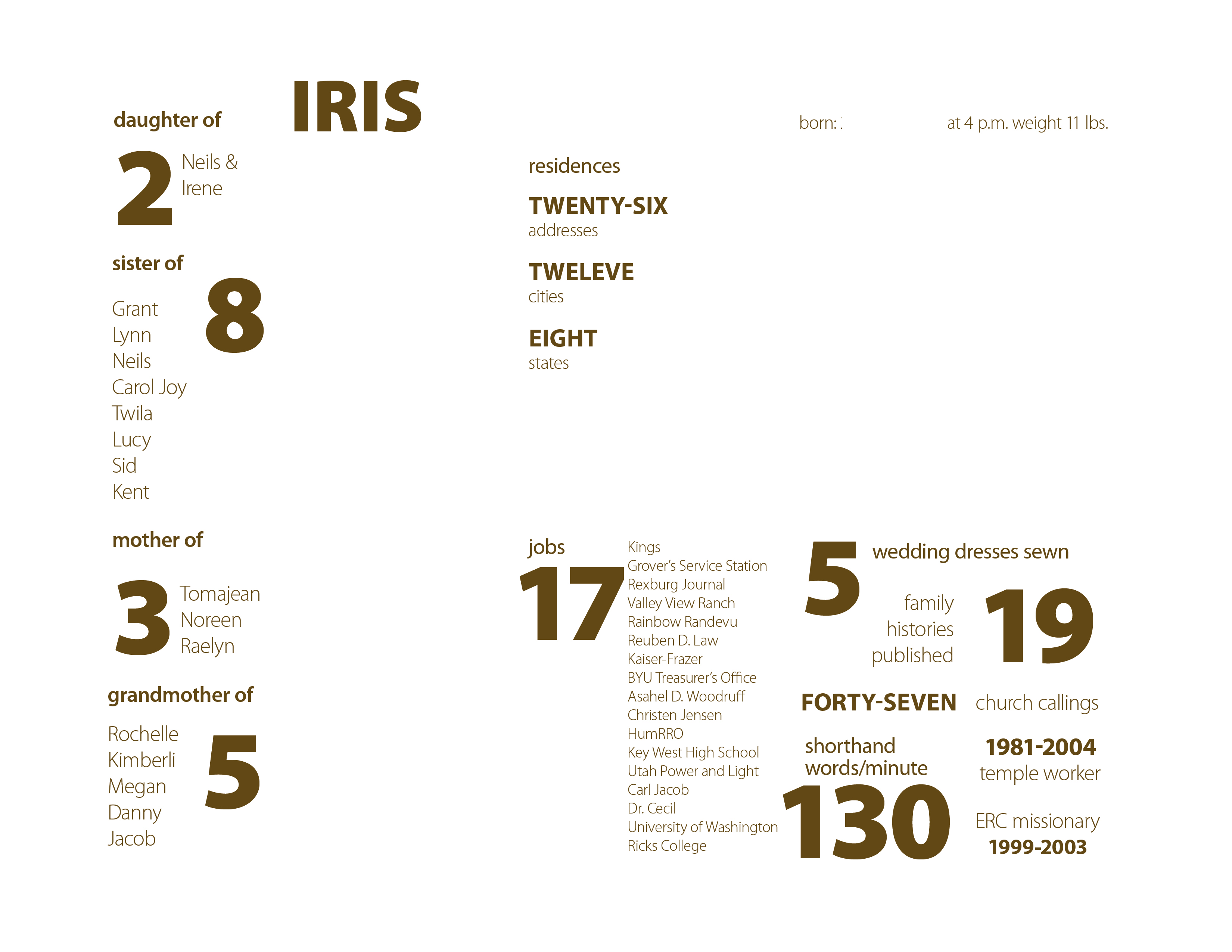
Iris – layer 1 – background

I did my layout in InDesign with five layers. The bottom layer just has the background.After I put in the background color in an 8 x 10 box, I locked the layer so I wouldn’t accidentally select it. The background color is a 25% tint of the main text color. This way when I go to make another version for Bill’s mom I can change the text color swatch and the background will change too.

Iris – layer 2 – lines

The second layer is just the lines. The default 1 pt stroke was too strong so they are .5 pt strokes. In case you don’t know, if you hold down the shift-key when you drag out a line with the line tool it will be perfectly horizontal or vertical.

Iris – layer 3 – text

The third layer is for most of the text. I used Myriad Pro in weights from light to black. I really like it when font families have such a contrast in weights.

Iris – layer 4 – photos etc.

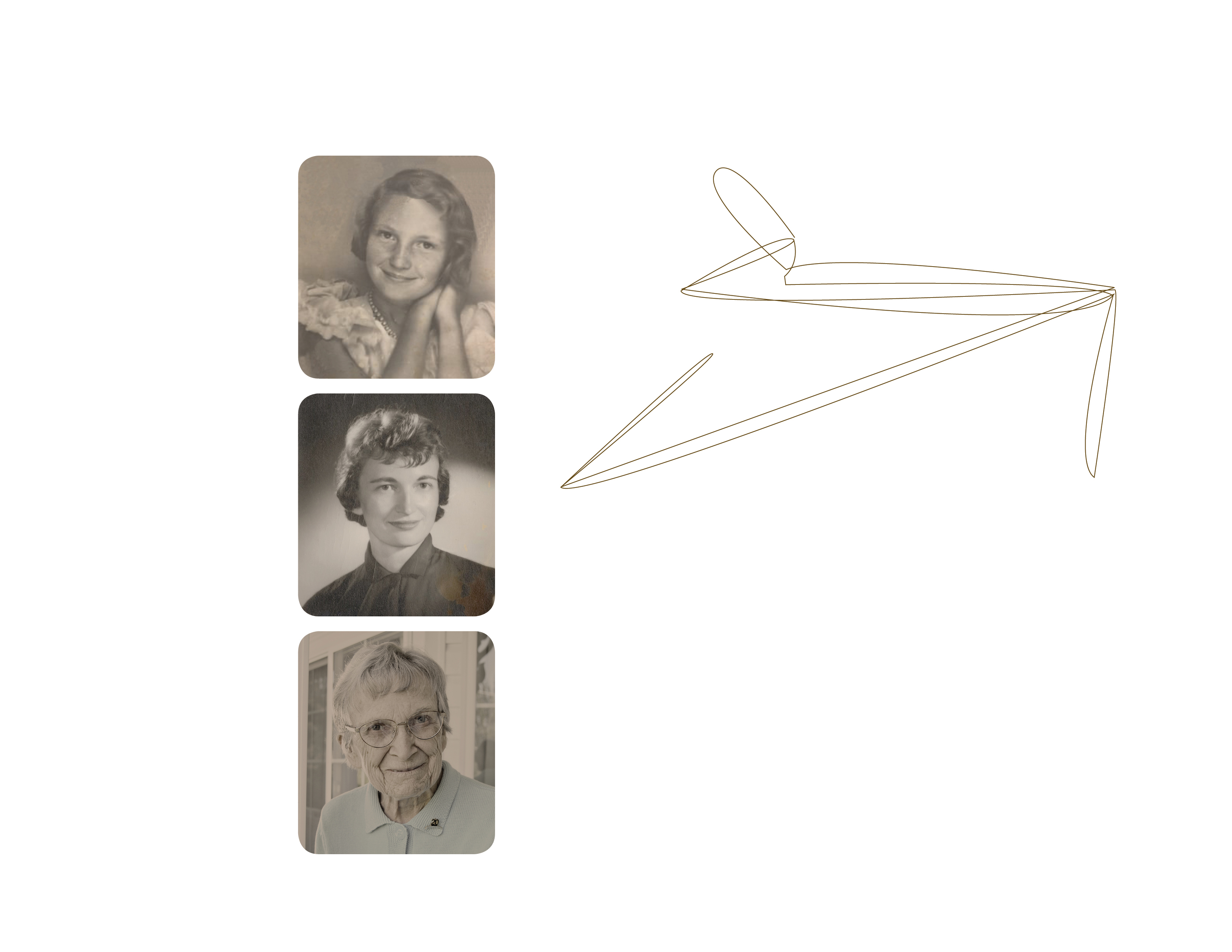
The fourth layer is for the photos. After I picked the three photos I wanted to use I edited them in Photoshop using color matching to give them all an old sepia tone look. This layer also includes the brown lines on the residences “chart”. I drew these lines in InDesign with the pen tool. I started with a map of the United States and used that as a guide for drawing lines from Rexburg, where she was born, to each city she lived in. Then I deleted the map leaving the lines.

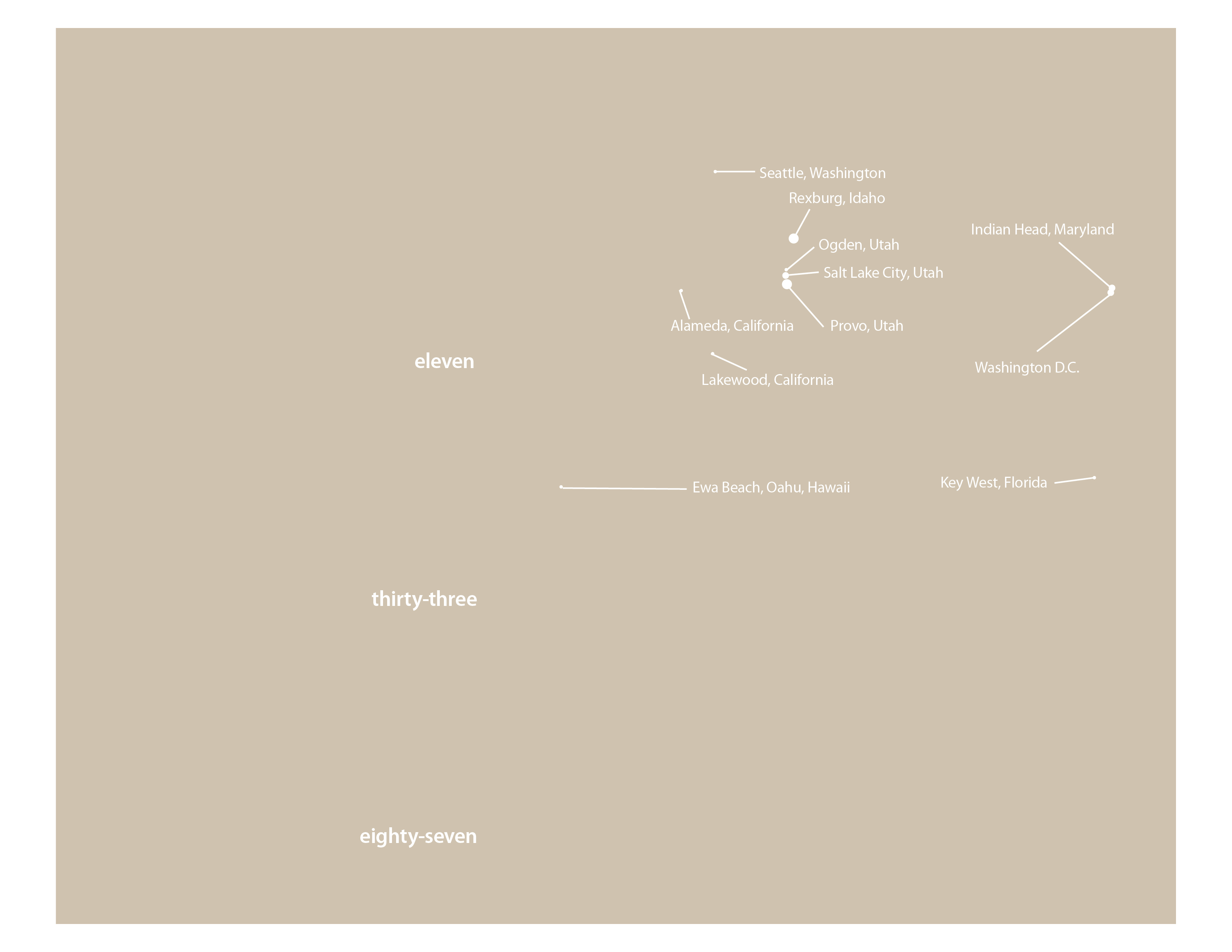
Iris – layer 5 – white text & lines (shown with layer 1)

The fifth layer is for all the white text and lines. I added white dots of various sizes for each city. Bigger dots for the cities with the most address. You see it here with the background layer so you can tell what is there.

I added a sixth layer to block out some of the more specific information on my mom for posting on this blog. No reason to risk identity theft. By putting it on a separate layer I can turn the blocked out areas on or off as needed for output.

I have learned over the last few years that it is very helpful to think through a project and create layers for different elements. It prevents lots of problems when it comes to editing and rearranging your design. For example with the residence chart, I can lock all the layers but the two involved in the chart and re-size or move it with accidentally selecting the text or other lines nearby.

If you would like an InDesign template of this project send me an email to raelyn@tellingfamilytales.com