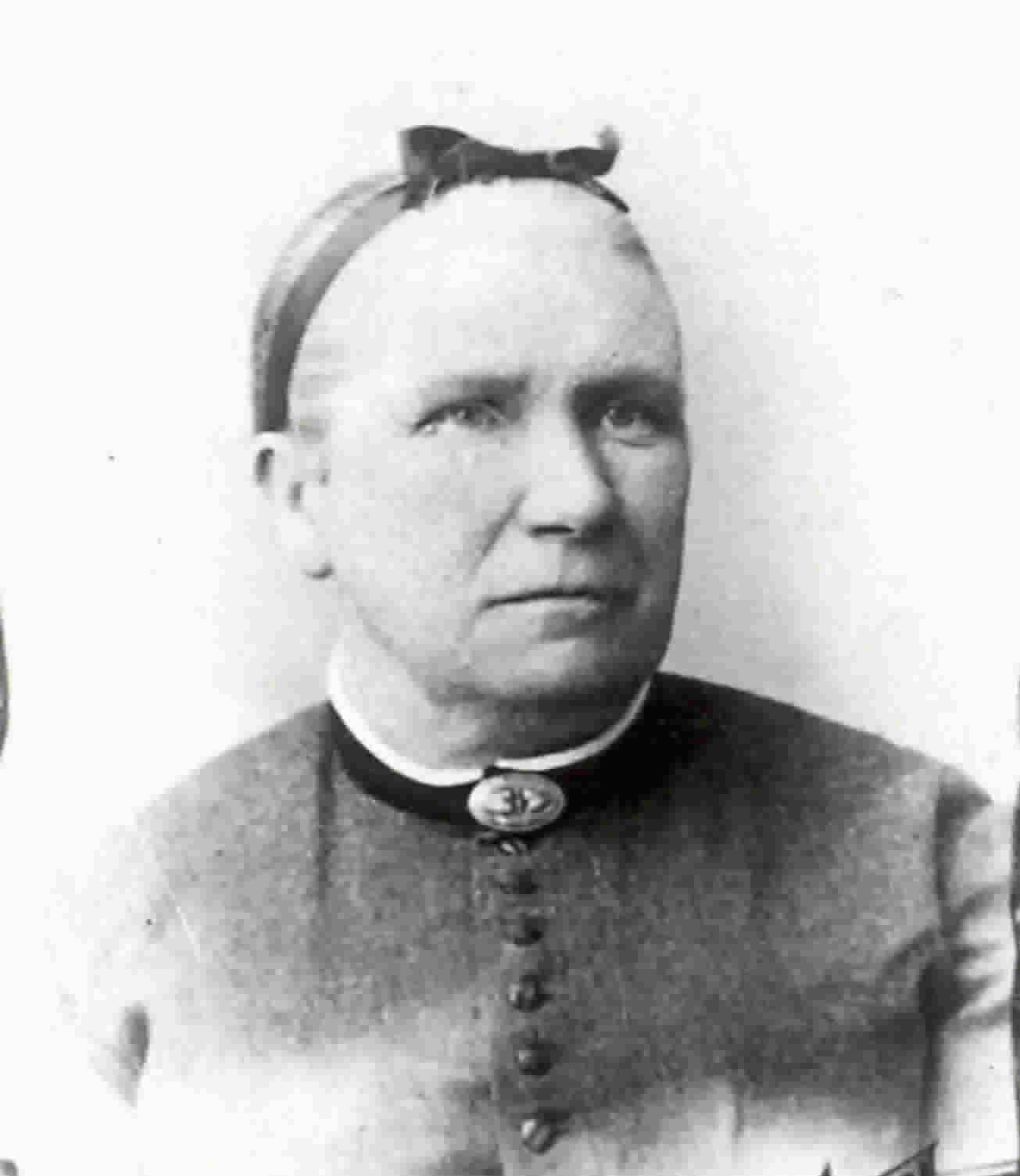
My Generations Project – Mary Taylor

Mary Taylor

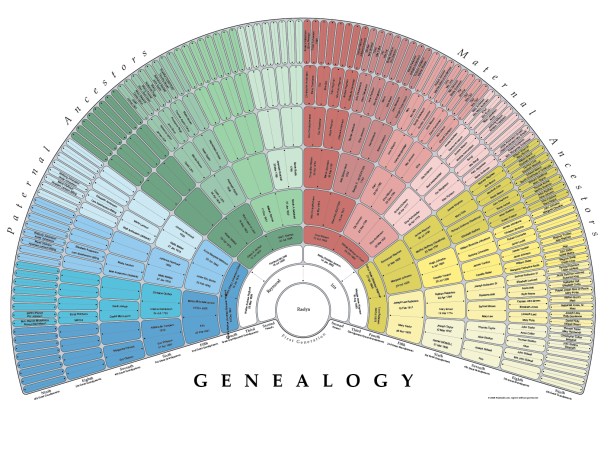
The next step in My Generations Project as out lined by The Generations Project episode “Do Your Own Generations project”, is to populate my family tree. So I went to FamilySearch.org on the right hand side of the page is a link for “just getting started”. If you don’t have an account you can set one up there. Step one is to build your tree. Mine was already built so I went to the second step. Discover your fan chart. If you have an account for FamilySearch you can go straight to CreateFan.com and login there. Then just select create and it will create a pdf file ready to save to your computer or send it to one of four printing options.   It was really slick and easy. Here is how mine turned out.
There are several free downloadable genealogy charts through TreeSeek.com. One of the other options there is a cloud style tree. I picked the one that is just last names. Here is how mine came out.

As I explored TreeSeek.com I found a link on their about page to Misbach Enterprises. They have blank pedigree charts and some are free that you can download. One is a graphical family tree that looks interesting. A few weeks ago I found a bunch of blank free pedigree chart at ObituariesHelp.org. I really like an 8 generation fan chart that I have used for my puppies pedigrees.

family_tree        fan_chart         eight_generation_family_charts_fan_triangles

There aren’t too many blanks spots on my mom’s side of the family. My dad’s side has a lot more holes. Maybe sometime I’ll work on filling in those holes but I don’t see it happening anytime soon. I really like how compact and clear the fan charts are in organizing so much information.Have you used a fan chart?
Mother’s Day Project

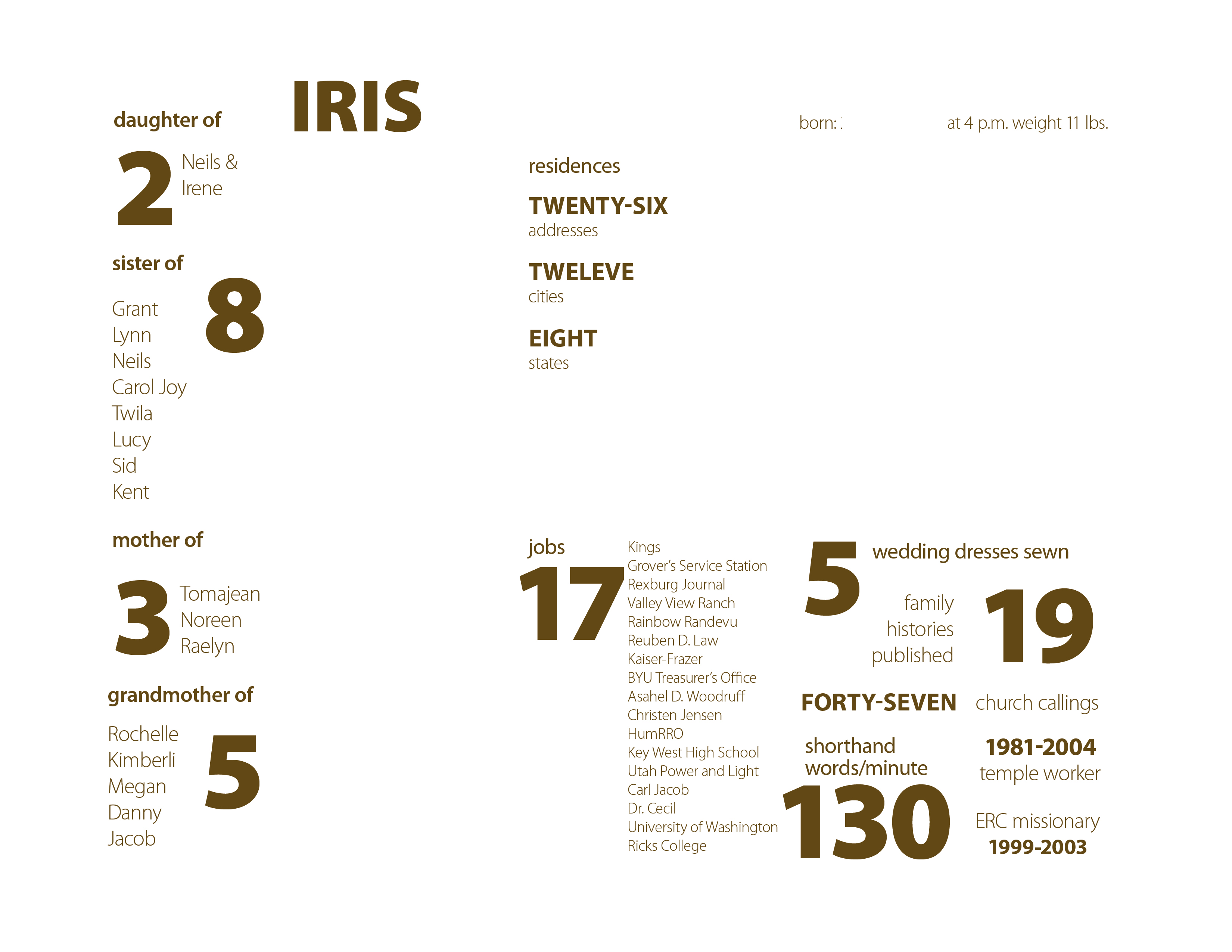
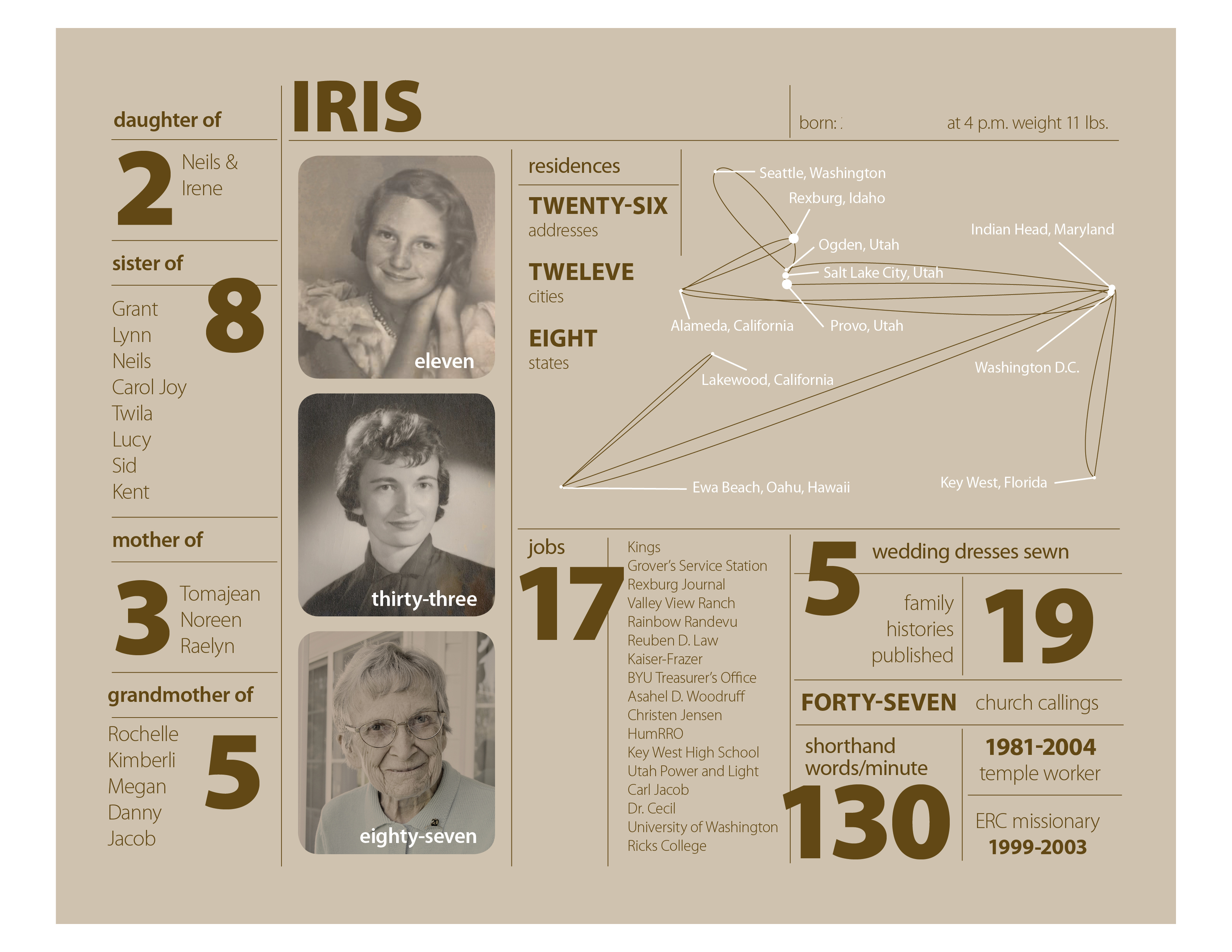
Mother’s Day Project for Iris

This is my version of an infographics inspire by Nicholas Felton‘s 2010 Annual Report. I’ve never done anything like this, so it was a learning experience and I enjoyed it. There are so many facts about a person’s life and this is a fairly simple one page project. I will print it out 8″ x 10″ and put it in a simple frame.

Iris – layer 1 – background

I did my layout in InDesign with five layers. The bottom layer just has the background.After I put in the background color in an 8 x 10 box, I locked the layer so I wouldn’t accidentally select it. The background color is a 25% tint of the main text color. This way when I go to make another version for Bill’s mom I can change the text color swatch and the background will change too.

Iris – layer 2 – lines

The second layer is just the lines. The default 1 pt stroke was too strong so they are .5 pt strokes. In case you don’t know, if you hold down the shift-key when you drag out a line with the line tool it will be perfectly horizontal or vertical.

Iris – layer 3 – text

The third layer is for most of the text. I used Myriad Pro in weights from light to black. I really like it when font families have such a contrast in weights.

Iris – layer 4 – photos etc.

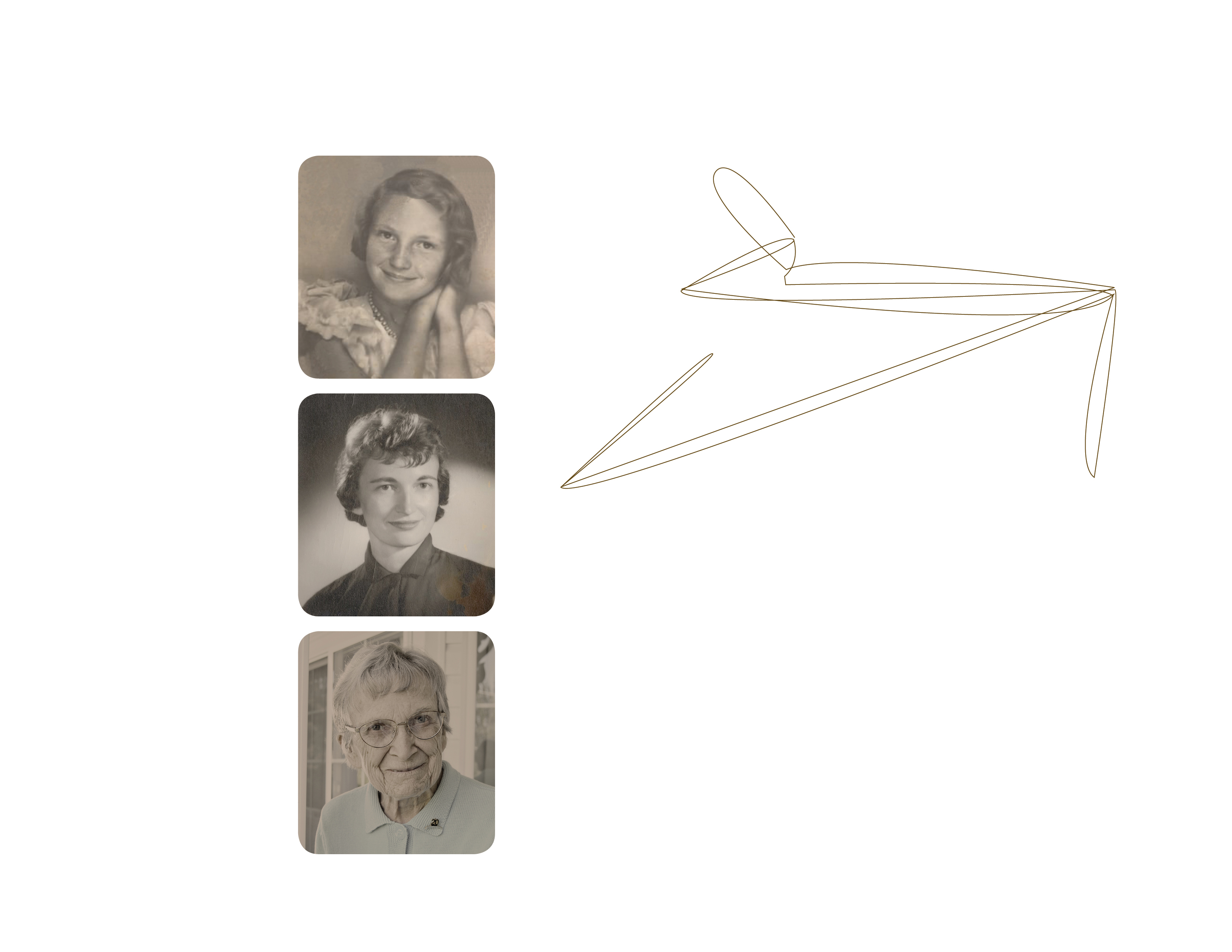
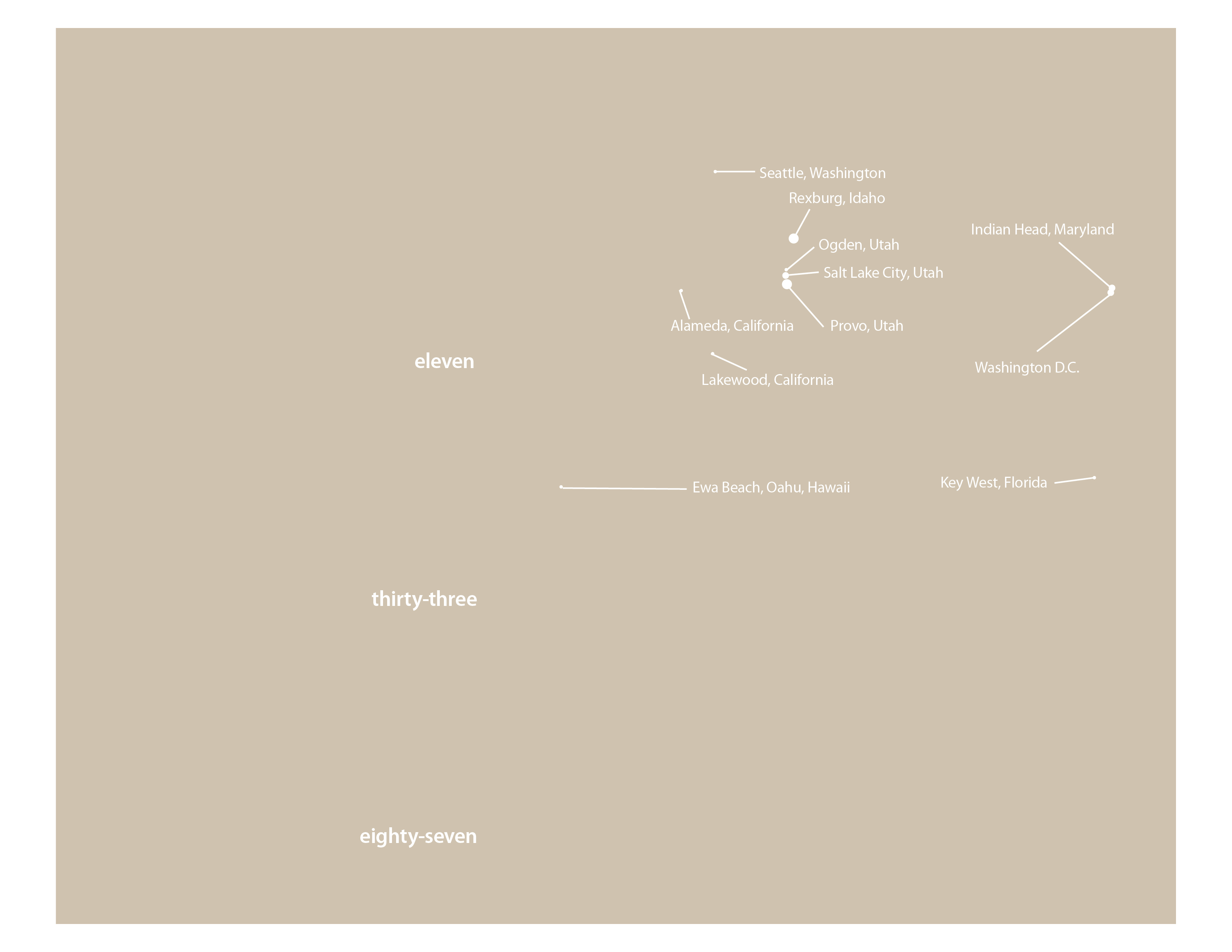
The fourth layer is for the photos. After I picked the three photos I wanted to use I edited them in Photoshop using color matching to give them all an old sepia tone look. This layer also includes the brown lines on the residences “chart”. I drew these lines in InDesign with the pen tool. I started with a map of the United States and used that as a guide for drawing lines from Rexburg, where she was born, to each city she lived in. Then I deleted the map leaving the lines.

Iris – layer 5 – white text & lines (shown with layer 1)

The fifth layer is for all the white text and lines. I added white dots of various sizes for each city. Bigger dots for the cities with the most address. You see it here with the background layer so you can tell what is there.

I added a sixth layer to block out some of the more specific information on my mom for posting on this blog. No reason to risk identity theft. By putting it on a separate layer I can turn the blocked out areas on or off as needed for output.

I have learned over the last few years that it is very helpful to think through a project and create layers for different elements. It prevents lots of problems when it comes to editing and rearranging your design. For example with the residence chart, I can lock all the layers but the two involved in the chart and re-size or move it with accidentally selecting the text or other lines nearby.

If you would like an InDesign template of this project send me an email to raelyn@tellingfamilytales.com

My Current Projects: goals and progress

Is it Monday already? Where did last week go? Oh, I know the new puppy (Zodiac) took all of it.

Mother’s Day Project: Infographic inspired sheet about the mother’s in my life.

Due Date: May 13th

I got one done for my mom. I’ll post about it this week, probably tomorrow.

  • 8 x 10 frames
  • info on Bill’s mom
  • print
  • frame
  • wrap

If I don’t get the info I need for Bill’s mom before Mother’s Day I think I could show her what I’m doing and she could help me figure out what she would like on her sheet.

In the Navy – Key West Chapter: project about my dad’s 20 years in the U.S. Navy. The priority is the chapter on Key West so he can pass it on to the Under Water Swimmer School website to include in their history page.

Due Date: asap but no hurry either

  • Listen to audio tape & transcribe

No progress here. Procrastination and Zodiac are my only excuses

Mary: a small (7×7) book about Mary Taylor’s childhood and her journey to the Salt Lake Valley with the Martin Handcart Company for children under 12 to learn about their pioneer ancestor.

Due Date: flexible – would love to have at least a draft for July Reunion

  • write text
  • get illustrations from Kim

I took a thumb drive to Kim but she was sick so I haven’t gotten the first illustration yet, but I did leave her a check. I figure it is good to pay her as she completes each illustration.

Journal for Martin’s Cove Reunion: a half sheet size journal to help make the trek experience at Martin’s Cove more meaningful. Have time line of handcart company with info about Mary Taylor and her family along with space for journaling and possible adding photos or sketches.

Due Date: July 2012

  • Decide on Binding – in process
  • Logo for Reunion
  • edits – waiting for mom to proof read

Still on hold. My mom is coming down this week so I’ll check with her on proof reading.

Goals for this week:

  1. Finish Mother’s Day Project
  2. Continue transcribing “Key West”
  3. Improvements to my Blog site

The big challenge I have this week is figuring out how to get things done with a new puppy on board. How do you deal with new changes to your life and still get things done? This is an ongoing struggle for me and I have to find better ways to tackle the goals and projects of my life.

50 for 50 #19 – A New Puppy

All four of us on Zodiac’s puppy day – photo by Lisa Monson

My plan was to get a new puppy in August but when the opportunity came to get a “Z” boy this past Friday I somehow couldn’t say no. So the 19th thing that I did to celebrate turning 50 years old is getting a new puppy.

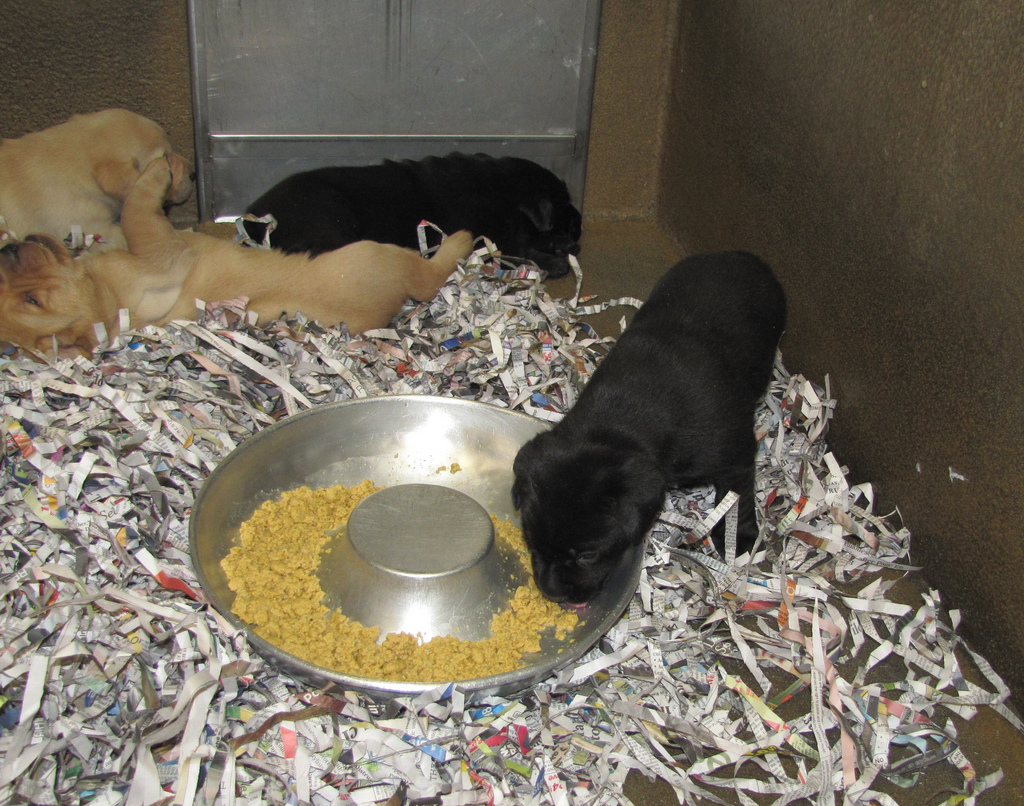
Zodiac is a fun mix of stubbornness and adventurer, with a bit of unexpected caution thrown in. He is happiest when he gets some freedom to explore his surroundings. Most of his complaining has been about being kept from learning about his surroundings. I told you about his stubbornness in last Friday’s post introducing Zodiac. Then there is his fear of his food bowl. It is stainless steel and when Zodiac is about 3/4 of the way through eating he has a tendency to step on the edge of the bowl, which flips it. This scares him so he backs off from the bowl. It is funny to watch him. He wants to go back to his food but he doesn’t trust the bowl to stay put. It helps to understand that in the puppy kennels they eat from a doughnut-shaped dish that they can step into. If you we hold the bowl he comes back to finish his meal. Such a silly boy.

puppies from the Tito/Denisha litter – Guide Dogs for the Blind flickr site

The first few days with a new puppy are the hardest. The whole relieving outside is new to them and puppies don’t have a clue what you are trying to teach them. But it gets better quickly once they start to catch on. In the meantime, I am getting up several times a night and making lots of trips out during the day. And there are still more accidents to clean-up than it seems possible.

A really bright spot is how well Yakira and Zodiac are getting along. She is being a good mentor and learning to play to his level. They are so very cute together. What a fun way to celebrate turning 50!

Welcome Zodiac

Zodiac coming of the puppy truck

Meet the newest addition to our family, Zodiac! He is adorable of course, aren’t most puppies. He has kind of mid-range temperament, not too shy and not off the charts confident. He picked up his stainless still food dish and then dropped it and the clang scared him a bit. He got over it in a few minutes.Then while he was eating dinner he tipped his bowl and then he thought it was some strange thing and didn’t want to eat his last couple of kibble.

He enjoys exploring the house and sticking his little nose into the shoes in our closet. I got to see his stubborn side today. As he was exploring he headed into our spare bedroom. I grabbed the leash to stop him because we don’t let puppies go in this room by themselves. Our cat has claimed this room so we keep the door ajar. Well Zodiac had a fit! First of all he backed to the end of the leash. When I wouldn’t let him go any farther, he planted his feet and wouldn’t move. I just help firmly on the leash and waited to see what he would do. Zodiac stood there with his head down looking at me for several minutes. I didn’t move. Next he tried laying down. When that didn’t work he escalated things by whining. This went on for several minutes. He has amazing determination. Finally he decided to move out of the room and continue his exploring. The good thing is that he didn’t try to go back into the spare room.

We are going to have lots of fun over the next few days. I hope I get some sleep tonight.

Yakira and Zodiac

Historypin

While I was checking out Homestory’s blog I came across her post on Historypin. This is such an awesome concept I can’t wait to explore it more. The idea is to tag photos by place and date. This way you can narrow down your searches for images so easily by the site and the time frame. I’ve done images searches for history books and this would have been so helpful. If you haven’t been to Historypin, you’ve got to check it out.

p.s. I enjoyed the rest of Homestory’s blog to. I really like the idea of using a building as the theme behind telling family stories. I’ll have to post more on this another day.

My Generations Project – Mary Taylor

Mary Taylor

I’m in the middle of my first Generation Project. I am focusing on my great-great-grandmother, Mary Taylor.The first step of a Generation Project is to find your why. Here are the questions that the producers of The Generations Project have:

  • What do you spend a lot of time thinking about?
  • What do you hope will happen to you in the next year or two?
  • Tell us a story about a life changing experience.
  • What is the biggest challenge you’re facing in your life now?

As I’ve worked thought these question and pondered I’ve decided that the challenge I want/need the most help with now is with the Telling Family Tales web site. I really want this blog to be meaningful. I have a vision of it being a place where all or at least most of the resources that someone wanting to record and keep family stories can come to learn what they need to complete their project. This feels like an overwhelming tasks and I don’t know if I can do it. But I want to. I’ve wanted to do something to help others be more effective in telling their family stories for many years. Then a few months ago the idea of a gathering place of not just what I have done but others information too developed in my mind and that seemed to make so much sense.This idea will take a long time to really develop and I worry if I have what it takes to make it a reality. I’ve taken a few small steps, but for me starting is the easy part. I have much more trouble with staying on task and completing a project.

My great-great-grandmother survived through some really tough stuff and found ways to thrive. I want to find that same kind of strength in me. So there is my why. I’ll post about step two – populate your tree next week.

In the meantime as part of my upcoming Martin’s Cove experience I started sending out emails to those in my family who coming about important dates along Mary’s journey from England to Salt Lake City. I’m going to a series of short posts called 156 years ago today to go along with those emails. I hope you enjoy them.

What are your biggest challenges? Are you thinking about doing a Generations Project too?

Late-breaking Puppy News

Last night I got a call from our puppy club leader telling me they had a puppy for us if we wanted it. The plan was to wait until August but this black lab male became available at the last-minute. We had until this morning to decide and the answer is yes, we will take a puppy now!

The puppy truck comes on Friday! I thought she said a “V” puppy and this morning I found out he is actually a “Z” puppy. I’m so excited. I was hoping for a “Z” puppy to continue the pattern: A (Apex), B (Banta), C (Casey) – then we skip to the end – W (Waffle), no X – GDB has never had an X litter, Y (Yakira) and now Z! I know that it is silly but it makes me giddy with delight.

Here is a short video from a couple of years ago of the puppy truck getting loaded up in San Rafael, California. I think tomorrow they will be loading up our little Z-boy. One thing that has changed is that they pups are micro-chipped now instead of having tattoos in their ears. So as they load them on the truck tomorrow they will us a hand-held scanner to see which pup is which instead of checking the tatoo.

Any guesses about what his name will be? For those who are new to this, each litter has a letter for all the names to begin with. The other complication is that the name can’t duplicate any working dog from GDB or current puppy in training or breeder dog. That group is about 3,000 dogs. That means the names sometimes get very creative.

Here is a list of Z names for babies.

Some of the guesses so far are:

  • Zee
  • Zachary
  • Zach
  • Zane
  • Zebra
  • Zaire
  • Zorro
  • Zale
  • Zesty
  • Zip
  • Zoomer
  • Zeke
  • Zanto


Time-lapse Project

Last week I came across this cool time-lapse project via Design Mom and Things Change by Frans Hofmeester. He films his daughter every week and now he has a video that shows her from birth to 12 years old in less that 3 minutes. I want to do this with our next puppy. When I told Bill about it, he suggested that it would be good to practice with Yakira first to get some of the kinks figured out before trying it with an 8 week old puppy. So I picked a spot yesterday to try this out but my camera battery was dead. Today Yakira is off to work with Bill, so I have no puppy to test it on. I’ll put it on my list for tomorrow.

This idea seems like such a fun way to document and tell the story of growing up. I have to give it a try to see what happens. Besides with a puppy it doesn’t take 12 plus years to grow up, a year does wonders. Have you ever done a time-lapse project before? I wonder if it would be possible to do something with still photos that have already been taken to show the process of growing up effectively. Who or what would you like to capture with a time-lapse video?