Europe 1952 – Passport Stamps


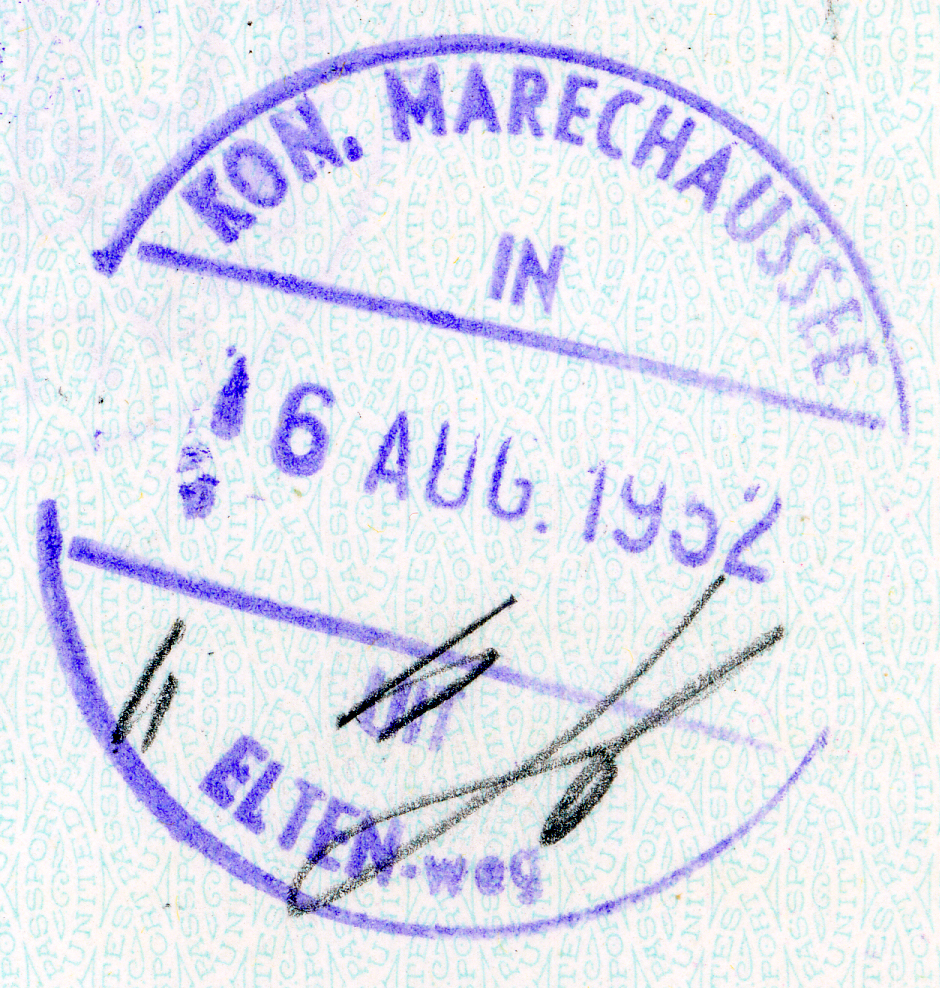
I’ve always loved passport stamps and dreamed of having a passport full of interesting stamps. So I wanted to find a way to include all the stamps from my mother’s passport into the book about her trip. But just scanning the pages and including them that way seemed like an ugly solution. After some thought I decided to figure out a way to include just the image of the stamp on each chapter heading page.

scan of passport page

After scanning the pages of her passport I  cropped each stamp into a separate image from the rest on the page. Some of the stamps overlap which just gave me more stuff that I erased from the image. All of these work was done in Adobe Photoshop.

cropped to single passport stamp

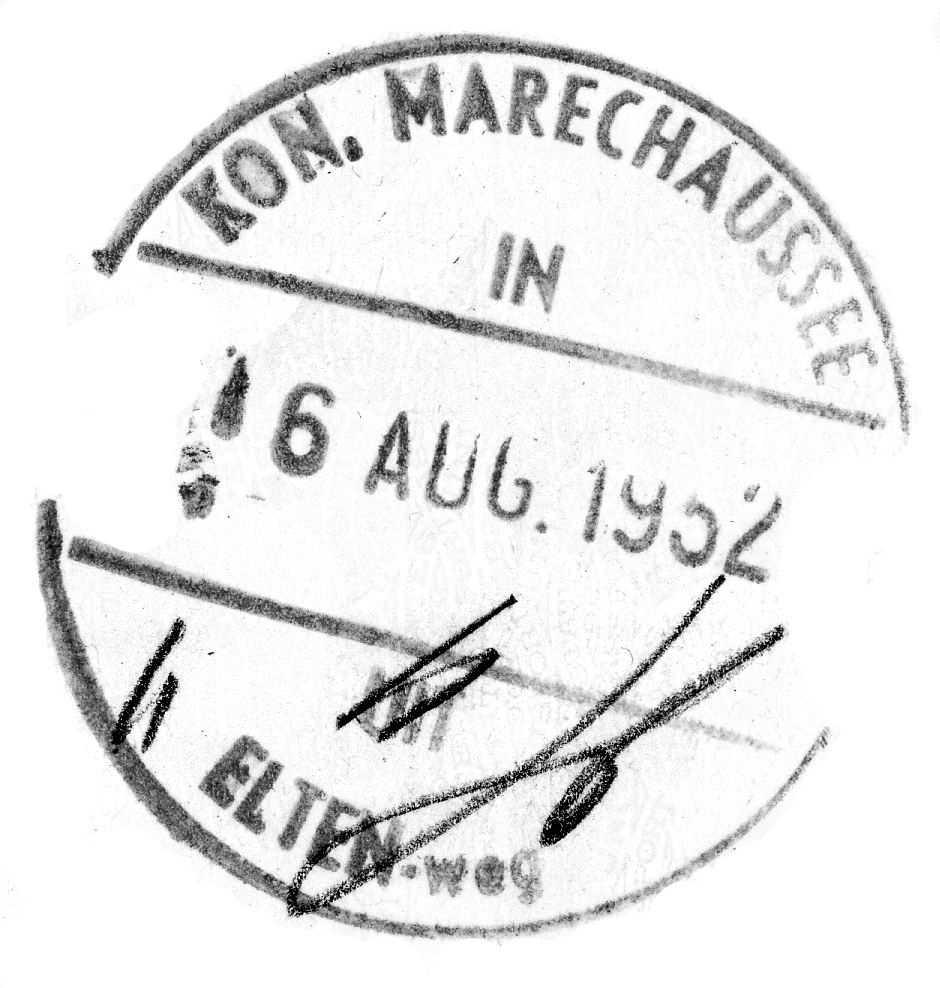
Now I started playing around with a way to separate the inked image from the background. With a simple white background it is easy to use the magic wand tool to select and then remove the background. But as you can see passport paper isn’t plain. The tool that helped the most was the background eraser tool. I hadn’t used this before so it was good to learn about it. But I still ended up doing some clean-up by hand.

cleaned up passport stamp

The last step I did was to make the image black and white before I placed it on the chapter heading page. To give it more of the effect of being stamped on the page I changed the transparency to multiply. There is probably a better way to clean-up these images but I got it done and I was happy with the effect. I like having the passport stamps for each country on that country’s chapter heading page.

What ways have you found to include things like passport stamps in your projects?


Europe 1952: Maps

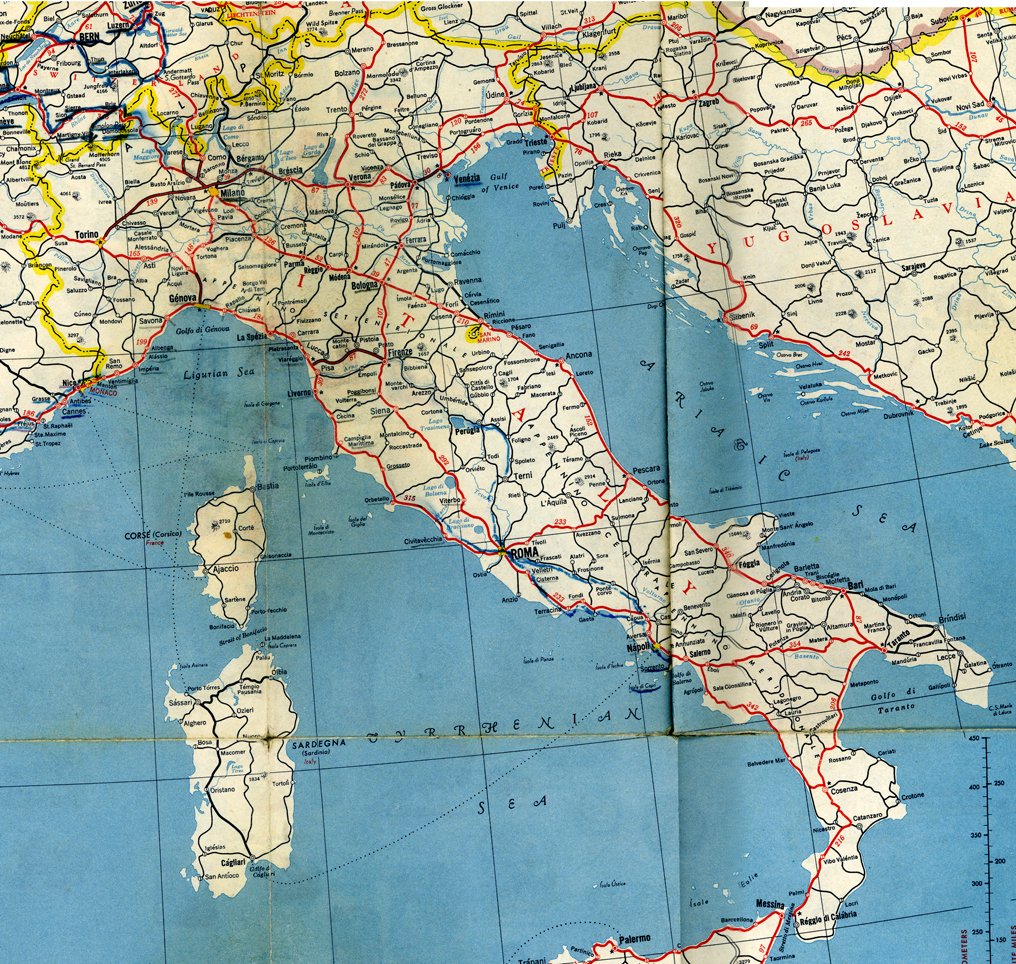
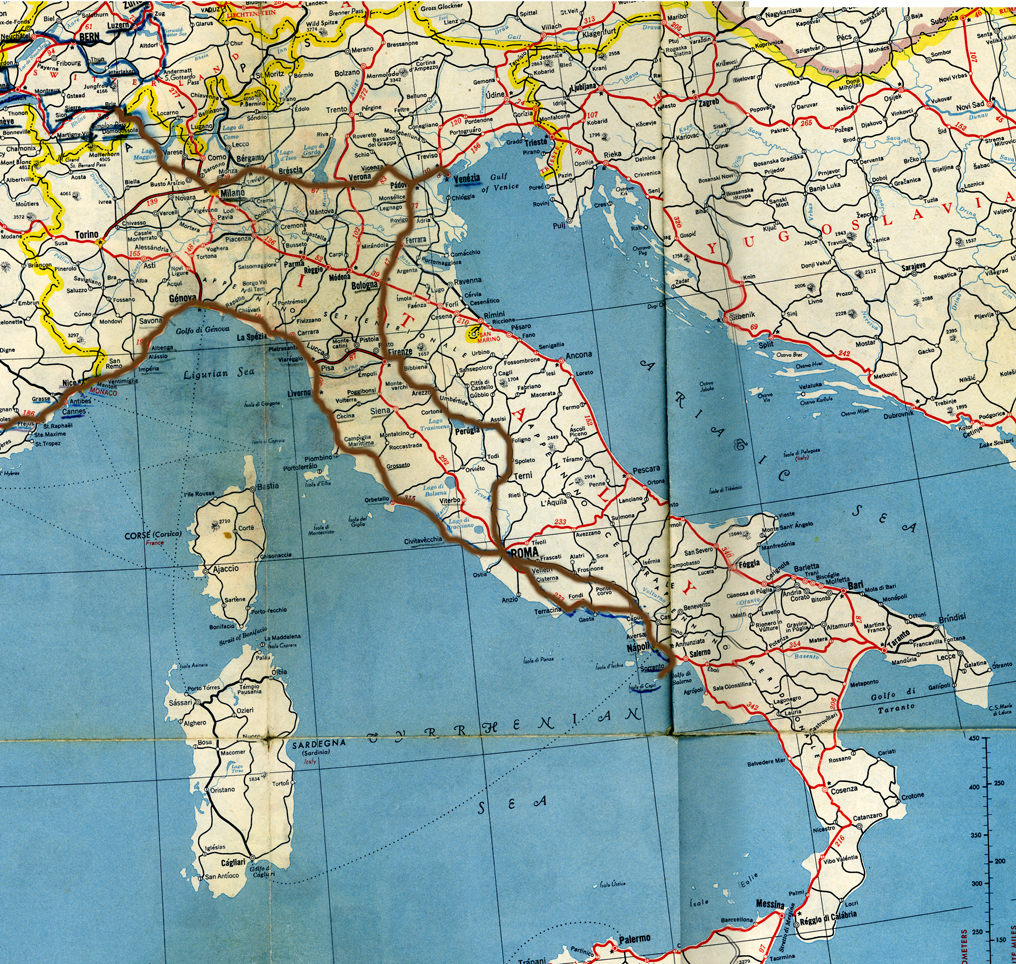
Among the many items that my mom saved from her trip to Europe in 1952 was a large map. I decided I wanted to use it at the beginning of each chapter. The map was challenging to scan because it was so big. So I scanned sections of it and then used Adobe Photoshop‘s photomerge to stitch together the section of the map for each country. If you’ve never used photomerge it is a very handy tool for doing things like panorama shots.

photomerged map

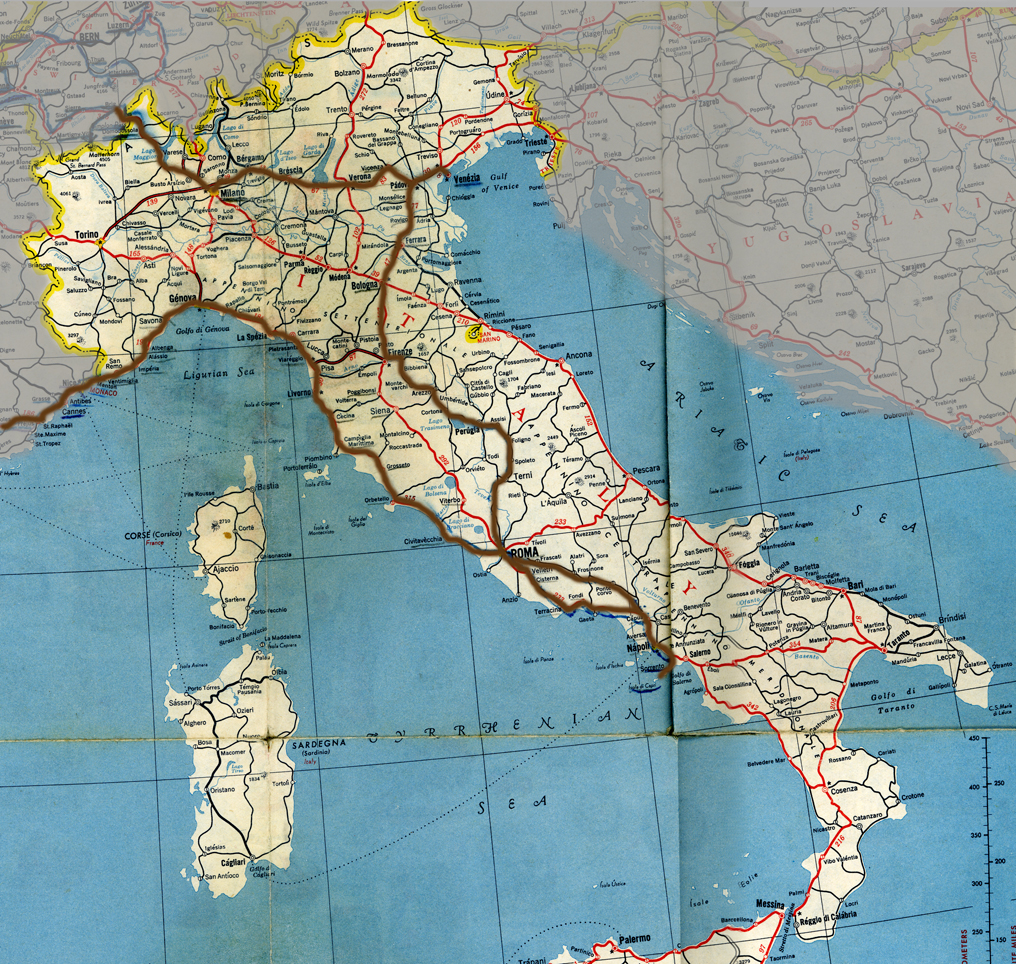
After I had a map section for each country I added a brown route line to mark the roads they traveled in that country. I did this also in Photoshop using the brush tool. To bring more focus to the country I added a grey mask that partially block out the neighboring countries, by adjusting the transparency of this layer.

map with route

map with surrounding countries grayed out

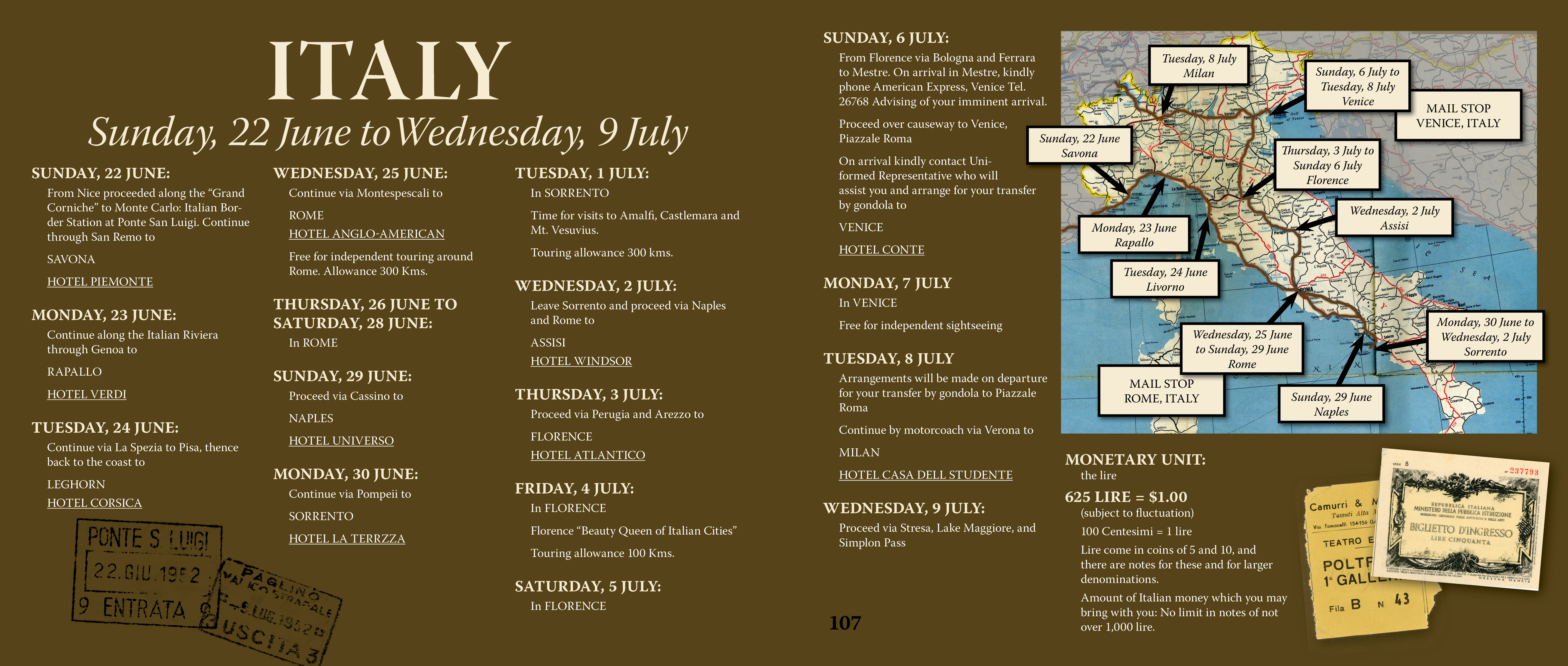
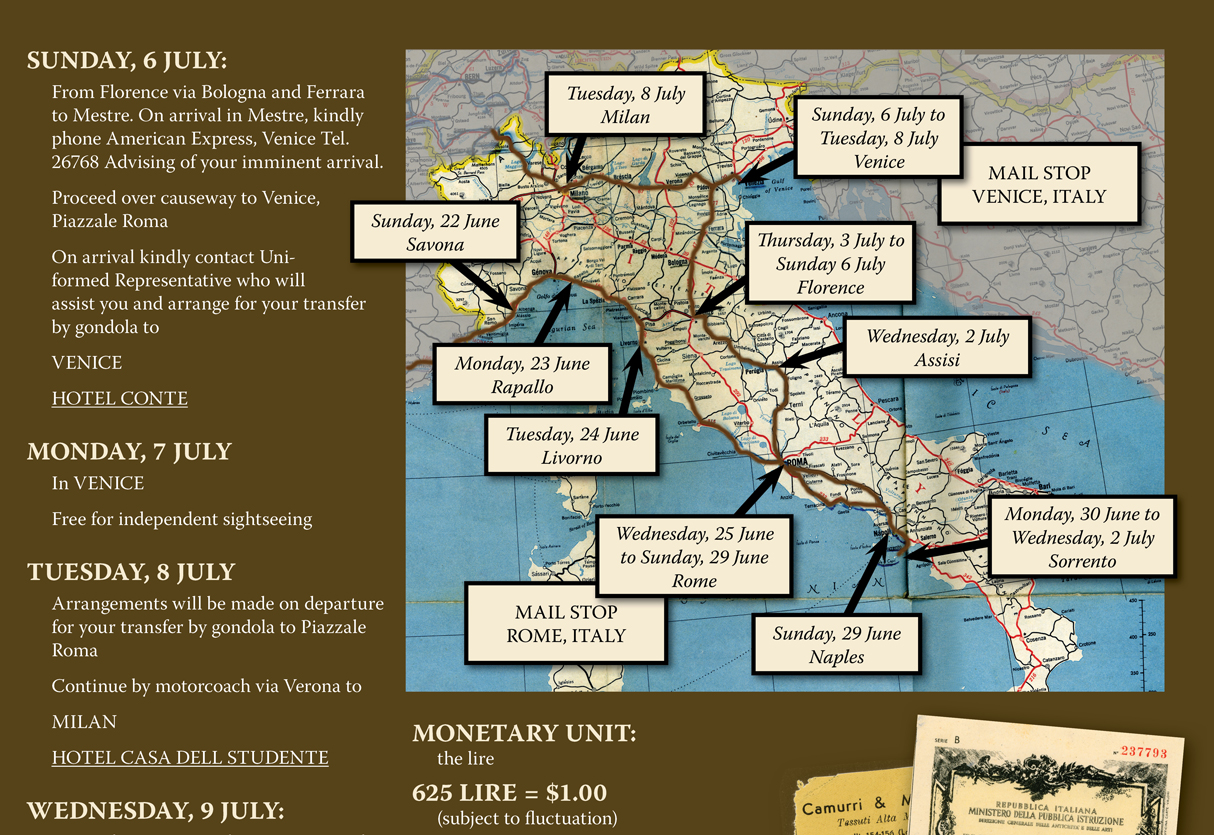
Once I brought the map image into Adobe InDesign, I added text boxes to label the cities they stayed in along with other relevant information and arrows to make it easier to tell the location of the city on the map. Arrows are easy to make in InDesign, just go to the stroke palette and select the style of arrow point you would like for the beginning or end of the line you made with the pen tool.

map with labels

I think the maps were effective in communicating a lot of the information at the beginning of each chapter in a visual way. How have you used maps in your projects?

Europe 1952 – Chapter Headings

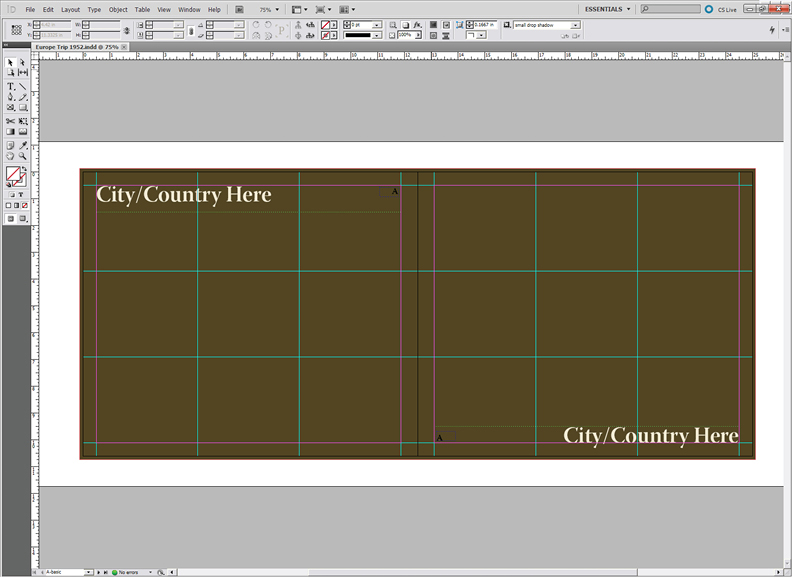
In the early stages of putting together this book, I decided to break it up into chapters for each country. (Germany ended up with two chapters because they re-entered Germany a second time.) So I put together another master page in InDesign to make it easy to have a consistent look for the beginning of each chapter.

master page for Chapter headings

The beginning of each chapter was a natural place to put the itinerary for each country along with a map showing the route that they traveled. On the map I included the mail stops where they could pick up letters from family and friends back home. I also had information about the money of each country and the exchange rates in 1952. My mom’s passport had lots of entry and exit stamps from her trip so I added those to the beginning of the chapter. I’ll go over how I put the route on the map and how I handled the passport stamps in an upcoming post.

Europe 1952 – Master Page and Using a Grid

When figuring out the way you want to layout the pages of a book I like to use a grid as the structure for the design. Before & After‘s has a two-part video that talks about using a grid in your design. If you want to learn more about grids in your designs it is well worth the 10 minutes or so it will take to watch them. I especially like part 2.

Because of the large size of the pages of this book (about 13″x11″) I wanted to have the text in columns. If a line of text gets too long in relation to the size of the letters it gets harder to read because it is so easy to lose your place on the line. Having columns of text solves this problem. I decided on three columns so I put guides on my master page for three columns. I also put guides horizontally to divide the page in three sections with in the margins. Instead of a small header or footer I chose to put a large title on each page. Part of the reason for this was that my mom, who the book is for, has macular degeneration plus cataracts so she couldn’t see well. Before I finished the project she had cataract surgery which helped her vision a lot. I thought that she would at least be able to read the title on each page and see something of the largest photos even if she couldn’t read all the text. It is important to keep in mind who you expect to read your stories and make decisions that will help them to be drawn into your book.

Basic Master page

If you haven’t used master pages you are missing a great time saver. In InDesign it is a simple as clicking on the master page in the pages pallet. By default there is a blank master page there called A-Master. Also by default this master page is applied to you whole document. When you add anything or edit anything on this page it is added to your entire document. Don’t worry, you can override this by dragging the [None] page in the pages pallet to any pages you don’t want to have the A-Master applied. I created two other master pages, one for the beginning of chapters and another for newspaper articles. I’ll talk about those in more detail in another post.

The advantage that having the three by three grid gave me was that it helped to make it simpler to figure out the layout for each page of the book. I had lots of photos and most of those photos are either one, two or three columns wide. Some are full bleed and a few go across to the facing page. But I still used those grid lines to help me to decide how large those photos were. Here are some examples pages.

The left hand page shows a “three column” photo and the right page is a full bleed.

This page has a bleed on three sides with a small “one column” photo overlapping on the left, while the right had page has two “two column” photos.

Here I have a “four column” full bleed and a couple of “one column” plus. When I was overlapping photos like here I was willing to allow photos to be wider than their column.

So how did I decide what size to make each photo? The first criteria was appeal of the image including the quality of the exposure. Because I wanted the photos to be the focus, if the image justified it I would make it as big as I could. Next I had to take into account how many photos or other memorabilia and the amount of text. Sometimes it is very tricky to get it to all coordinate together. But having the grid makes this easier and unifies the look of the book.

If you have any questions about how to do any of this please let me know. Next week I’ll cover how I handled the many newspaper articles I had for the book.

Publishing Your Story – Traditional vs. eBook

I came across and interesting post a few weeks ago on the FamilySearch Blog about traditional publishing vs. eBook publishing and was very interested in James Tanner’s view on this subject with the continued improvements and use of eBooks. You can read the post here.

Publishing Your Genealogy – Traditional vs. eBook

He shared an outline of how books were published in the past that was interesting.

  • Writing
  • Editing
  • Table of Contents and Indexing
  • Inserting Illustrations
  • Formatting for Printing (book layout, fonts)
  • Proof Reading
  • Typesetting
  • Application for ISBN/Copyright
  • Proof Print
  • Printing Pages
  • Binding
  • Distribution and/or Sales

Having only done self-publishing through print on demand I hadn’t ever thought of all these steps in publishing a book. It is wonderful that through modern technology we have other options to print just a few copies of a book or even just one at a very reasonable price. Traditional printing methods were not cost-effective unless you printed a large number of books. And face it, most of the stories we want to share just don’t have that wide of an appeal but that doesn’t make them any less important to us or our family and friends.

James Tanner points out that today all the above steps can now be done by the writer but we can still contract out any of these steps to someone else, including writing the book. I have one issue with his information about print on demand. He wrote:

Today, there are book publishing machines that will publish one book or a hundred. The cost of the first book is very reasonable. The major drawback for those wanting legacy materials is that the binding is limited to softcover perfect (glued) binding.

It might be true that some on-line printers only offer softcover perfect bound books, but I know that Blurb’s softcover books are perfect bound or glued. They also have hardcover books and their website says “our Hardcover books feature library binding.” This got me curious so I dug deeper and found some information to suggest that blurb hardcover books less than 120 pages our stitched from the side but their large hardcover books are glued or perfect bound. This seems to be mostly true. I checked the blurb books that I have here. The 440 page Europe! is not stitched it is glued. While the 9 7×7 books between 40 and 80 pages are all stitched except 1. So that was some interesting research. I’ll have to see if I can find out more.

Here is what James Tanner had to say about eBooks:

With the popularity of eBook readers such as the Kindle and the Apple iPad, publishing a book electronically is more than a fad. If you look at the New York Times Best Sellers List, you may be surprised to find that many of the best selling books are now available only in eBook format. One advantage of publishing a book in eBook format is that it can be updated at any time and distributed in a variety of formats. EBook publishing is exactly like traditional publishing except for the final printing and binding. There is still a need for good writing skills and the book files have to be adapted for a variety of electronic book readers.

Just as with more traditional publishing you can do these steps yourself even to the “printing” on your own computer. One simple option is to publish in a PDF format and distribute that to family and friends. May eReaders can read PDF documents but in my experience their are challenges with the small size of the screen and PDF documents that letter size. The text can be difficult or impossible to read with the entire page on the screen or you have to do lots of scrolling around to read the text.

If the book is just text there are simple enough ways to export it for eBooks using a word processor. But for me the images are at least as important as the words. And I’m not sure how you design for the fluidity of an eReader with images. There is new software that helps with formatting for eBooks so maybe it isn’t as hard as it seems to me. I love the idea of eBooks with embedded media but have yet to see how it works for projects like sharing family stories.

I agree with James Tanners basic assessment:

Whether you publish your book on paper or electronically, you will find that it takes considerable time and effort. Electronic publishing may cut out some of the steps necessary for a paper publication, but the quality and readability of the book has to be adapted for online or eBook reading.

It will be interesting to see how eBooks effect self publishing in the future. I believe that the best way may be to use both mediums so that we reach a broader audience and greater likelihood that our stories will be safe for the future to enjoy. Hopefully there are ways to make this as painless as possible.

Mary – three more illustrations

I’m past due for an update on how the illustrated children’s book of my great-great-grandmother, Mary Taylor, is coming. Kim has completed 4 illustrations now and I’m happy with how they all look. I decided that I might as well start the actually book document now that I have 4 of the images.

Crossing the Platte River

We are planning to use blurb.com to publish this book. I love the 7×7 format that I’ve used for several other projects and we are using that again for this one. The blurb plug-in for InDesign is great. I put in the book size and the number of pages and it creates my blank document and then a second document for the cover. It is a much nicer system then the old templates. I took my outline for the book, (you can read it here in the original post about this project) and placed it on the pasteboard. The pasteboard is a handy area outside the page in InDesign. It is a great place to gather the items for a page until you know where you want them to go. It really helps me to get things organized without cluttering up the page. Then it was easy to make sure I was putting the illustrations in the right place. Plus I have a reminder there of what the text for that page should cover. It feels good to have the actually document started. I hope it will inspire me to get started on the text soon.

Fog and Icebergs Crossing the Atlantic

I recently finished a book about the Willie and Martin handcart companies called “The Price We Paid” by Andrew Olsen. Several of the missionaries when we were at Martin’s Cove recommended it. I skipped the section on the Willie company but it really gave me a much clearer understanding of the timeline and how everything happened, especially around the rescue. If you are looking to learn more about either of these handcart companies, you should read this book.

Mary’s Baptism

I have a lot of things on my plate now so I’m not sure when I can fit it in but at the same time I hate to put it off too long. I’d really like to have the text mostly written by the time Kim finishes the illustrations. Then I can quickly put the finishing touches on the project and get it printed. I think I’ll talk to Kim and see if we can figure out a timeline. Now that she has a few of the illustrations done, she should have a better feel for how much time she needs to get this project complete. I do best with deadlines, otherwise my projects can stretch out for ever and never get done.

Finished Illustration of Mary’s Childhood

Infographics

From Felton Annual Report 2010

I came across a different way to tell someone’s life story recently and I had to share it here. From what I can gather Nicholas Felton puts together what he calls an “annual report” each year. For 2010 he put together the life of his father all presented in charts and graphs. It is a whole new way to look at life and the stories behind it. I want to use this concept in a project in the near future. I’m not sure which one yet but I’ll keep you posted. Maybe it will be a quick project for Mother’s Day.

Can you visualize a project that you could use this concept with? I’d love to hear about it.

Blurb – my favorite for self publishing

I’m a huge fan of Blurb.com! I have published more than a dozen books with them and I will continue to use them in the future. Blurb has 7 different sizes of books. My favorite is the 7×7. It makes such a nice compact book for those not huge projects. I also prefer the ImageWrap for the binding. It gives you a very durable cover plus the ability to have any kind of image or design on the cover you would like. If you haven’t used them before I highly recommend them. I’m grateful to a neighbor who told me about them a few years ago.

Remember Me

Last week I happened across “Remember Me” by Lesley Graham on Blurb. She uses a very collage style to illustrate the book that is very effective in telling this story. The book is about her grandfather who is losing his memory and his journey. I’m inspired by her work and will keep it in mind for future projects. Blurb has a cool preview feature that lets you see the entire book or just a few pages depending on how you set it up.

You can save 20% on two books with the promo code MOMRULES until May 2, 2012*.

*Offer valid through May 2, 2012 (11:59 p.m. local time). A 20% discount is applied toward your product total with a minimum order of 2 units or more. Maximum discount is USD $150, GBP £75, EUR €100, CAD $150, or AUD $150 off product total. Valid for printed books only. This offer is good for one-time use, and cannot be combined with volume discounts, other promotional codes, gift cards, or used for adjustments on previous orders.

Mary – what we have so far

in process illustration by Kimberli Johnson of Mary and her mother

I’m so excited about this project! The goal of this project is to tell the story of my great-great-grandmother, Mary Taylor and her journey to Utah and do it in a way that is appealing to children of all ages. She was born in England and joined the Martin Handcart Company traveling to Utah in 1856. The fun part of this is that it will be a children’s book with about 30 illustrations. My niece, Kimberli is a talented young illustrator and she has agreed to take on this project.

The scary part of this project is that it looks like I might have to do the writing. I don’t consider myself a writer so this is a stretch for me. I’m hoping that someone will come along who is excited about the book and want to take on the author role. In the mean time it is up to me to move things forward.

Not a lot to show for it yet but the pieces are in place and they will move forward as life let them. We are planning a small square book that we will have printed by blurb. Kim and I have worked up an outline, starting with some ideas that her dad took from reading a history about Mary’s life. And you can see what she has done so far on in the illustration above. Here is an outline of what the book will cover and the illustrations or each spread or page.

  • Illustration #1 cover (Mary)
  • Illustration #2-page 1- title page
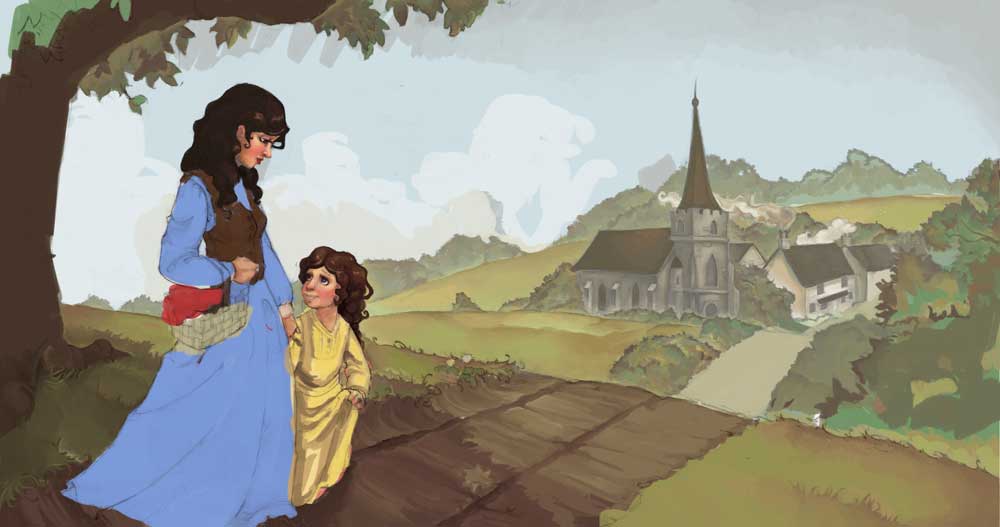
  • Illustration #3-pages 2 & 3- Mary Taylor born in England and in small village of Coton-in-the-Elms, that means cottage in the Elms. (image of Mary, her mother & village)
  • Illustration #4 –pages 4 & 5 – When Mary was little her parents, Joseph and Harriet, heard the missionaries tell about Jesus and Heavenly Father’s visit to the prophet Joseph Smith. Her family read about Jesus in the Book of Mormon and all were baptized. (baptism)
  • Illustration #5 – pages 6 & 7 – Mary learns how to sew dresses and marries William Upton They all wanted to go to Zion in America to receive temple blessings, be with the saints, and hear the prophet. The prophet, Brigham Young, had a plan to help Mormons, like Mary, go to Zion for less money. They would pull handcarts, instead of needing horses or oxen to pull wagons. (wedding)
  • Illustration #6 – pages 8 & 9 – In 1856 Mary and her family sailed with other Mormons on the ship Horizon from Liverpool, England to Boston, in America. Some days the seas were rough, making all 856 people seasick, including an old woman who lost her false teeth when she heaved over the ship’s railing. (Horizon)
  • Illustration #7 – page 10 & 11 – Near America, the ship was surrounded by thick fog, because the saints prayed the fog parted just in time for the ship to avoid an iceberg and then the fog surrounded the ship again. (Fog)
  • Illustration #8 – pages 12 & 13 –  From Boston to Iowa City, Mary’s family road in train cars used for cows. When the train stopped one night a mob of angry men surrounded the sleeping Mormons and threatened them but the Lord blessed them so the mob left without hurting anyone. In Cleveland they helped put out a fire. (Train)
  • Illustration #9 – page 14 & 15 –  The weather was hot when Mary’s family loaded a wooden handcart to pull and push across the plains from Iowa to the saints in Zion. They slept in round tents with their feet toward the middle and cooked over fires. (Tents & Camp)
  • Illustration #10 – pages 16 & 17 –  Mary walked all day pushing and pulling a handcart with her mother, father, husband and cousin in the Martin Handcart Company. One day, Indians rode by the handcarts. The Indians did not hurt the pioneers. (Indians & Trail)
  • Illustration #11 – pages 18 & 19 – At Winter Quarters in Nebraska, the pioneers rested for a few days, bought more food, fixed handcarts, and the children swam in the river. (Winter Quarters)
  • Illustration #12 – pages 20 & 21 – It was a long hard journey and Mary would sing the handcart song to help her continue on the long journey, day after day. The pioneers were running out of food. Elder Willard Richards, an apostle, rode ahead to tell the prophet that the pioneers needed help and more food. All the pioneers prayed every day. (Singing & Willard Richards)
  • Illustration #13 – pages 22 & 23 –  Near fort Laramie, more Indians visited Mary and the pioneers. The Indian children shared candied fruit with the pioneer children. At the fort they hoped to buy more food and clothes, but they had sold all the food. (Fort Laramie & Indians)
  • Illustration #14 – pages 24 & 25 – One day as they crossed the Platte River it started to snow hard and it was very cold. Mary and the pioneers had to wade across the river. It was so cold there was ice floating in the river. (Platte River)
  • Illustration #15 – pages 26 & 27 –  When Elder Richards got to Salt Lake City it told the prophet, Brigham Young that Mary and the other pioneers needed food and help. The prophet told the men to gather food and wagons to go save the pioneers and he ended church early. (Brigham Young)
  • Illustration #16 – pages 28 & 29 – Burt Simmons already had a stout carriage full of food. He was ready and left to save the pioneers before the other wagons. (Burt Simmons)
  • Illustration #17 – pages 30 & 31 –  Mary Taylor was very hungry and cold. None of the pioneers had enough food. Some of them died, including Mary’s Father, Mother and her husband. (Death)
  • Illustration #18 – pages 32 & 33 – They stopped for several days to wait for the storm to end in a place now called Martin’s Cove. Burt Simmons and the rescue wagons found Mary and saved the Martin Handcart pioneers. (Martin’s Cove & Rescue)
  • Illustration #19 – pages 34 & 35 – Burt Simmons took Mary home where is wife nursed Mary back to health. (in bed)
  • Illustration #20 – pages 36 & 37 – Later Mary married in the temple and had nine children. She taught them about Jesus and Heavenly Father. (temple & children)
  • Illustration #21 – pages 38 & 39 –  (Mary & Irene sitting between Mary’s knees playing with a doll)
  • Illustration #22 – page 40 – Because Mary joined the saints in Zion, her great, great, grandchildren learn about Jesus in the Book of Mormon and follow the prophet. (posterity – single page)
  • Illustration #33 – back cover (this might actually be part of the front cover Illustration that just wraps around to the back cover)

I’ll post updates as this project moves forward. I can’t wait to see how it develops. Do you have any dream projects like this, that you have done or hope to do?

My Current Projects: goals and progress

Another Monday and time to account for my work last week.

In the Navy – Key West Chapter: project about my dad’s 20 years in the U.S. Navy. The priority is the chapter on Key West so he can pass it on to the Under Water Swimmer School website to include in their history page.

Due Date: asap

  • Listen to audio tape & transcribe

I didn’t progress like I hoped I would but at least I got something done. I put all the photos I have from Key West on my parents Kindle. Now my dad can look at the photos and record information about them. I think I’m a bit intimidated by the thought of transcribing an audio tape. I haven’t had to tackle this before. I just need to get started on it and over come my procrastination.

Journal for Martin’s Cove Reunion: a half sheet size journal to help make the trek experience at Martin’s Cove more meaningful. Have time line of handcart company with info about Mary Taylor and her family along with space for journaling and possible adding photos or sketches.

Due Date: July 2012

  • Decide on Binding – in process
  • Logo for Reunion
  • edits – waiting for mom to proof read

As I reported in another post I gave the proof copy to my mom to check over for mistakes. I’ll probably let this project rest until I hear back from her.

Mary: a small (7×7) book about Mary Taylor’s childhood and her journey to the Salt Lake Valley with the Martin Handcart Company for children under 12 to learn about their pioneer ancestor.

Due Date: flexible – would love to have at least a draft for July Reunion

  • write text
  • get illustrations from Kim

Nothing done on this last week other than giving my mom a copy of the outline. I feel like I should do some more reading about the Martin Handcart company before I try to tackle the narrative. Also until Kim gets a few of the illustrations done there is no pressing need.

Goals for this week:

So this week I’m going to dig into the Key West project and give it my focus.

  1. Start transcribing “Key West”
  2. Explore more binding options for “Martin’s Cove Journal”
  3. Check with Kim on “Mary”

Although I didn’t get to the Key West transcribing last week I did do another task that has been on my  list for a long, long time, cleaning up my hard drives. Even though it isn’t directly working on family stories it will help as I look for things and save new projects. Over the last few years I ended up with 4 different hard drives with info. My main computer was in good order but the other three drives were a mess, with stuff scattered everywhere. It could still use some more organizing with in some of the folders but at least now all the history stuff is in one place as well as all the photos. Plus I have a plan for where everything needs to go.

What tactics do you use to keep all the info in you life in order? I work hard at being organized but with varying success so I’m always open to new ideas.